
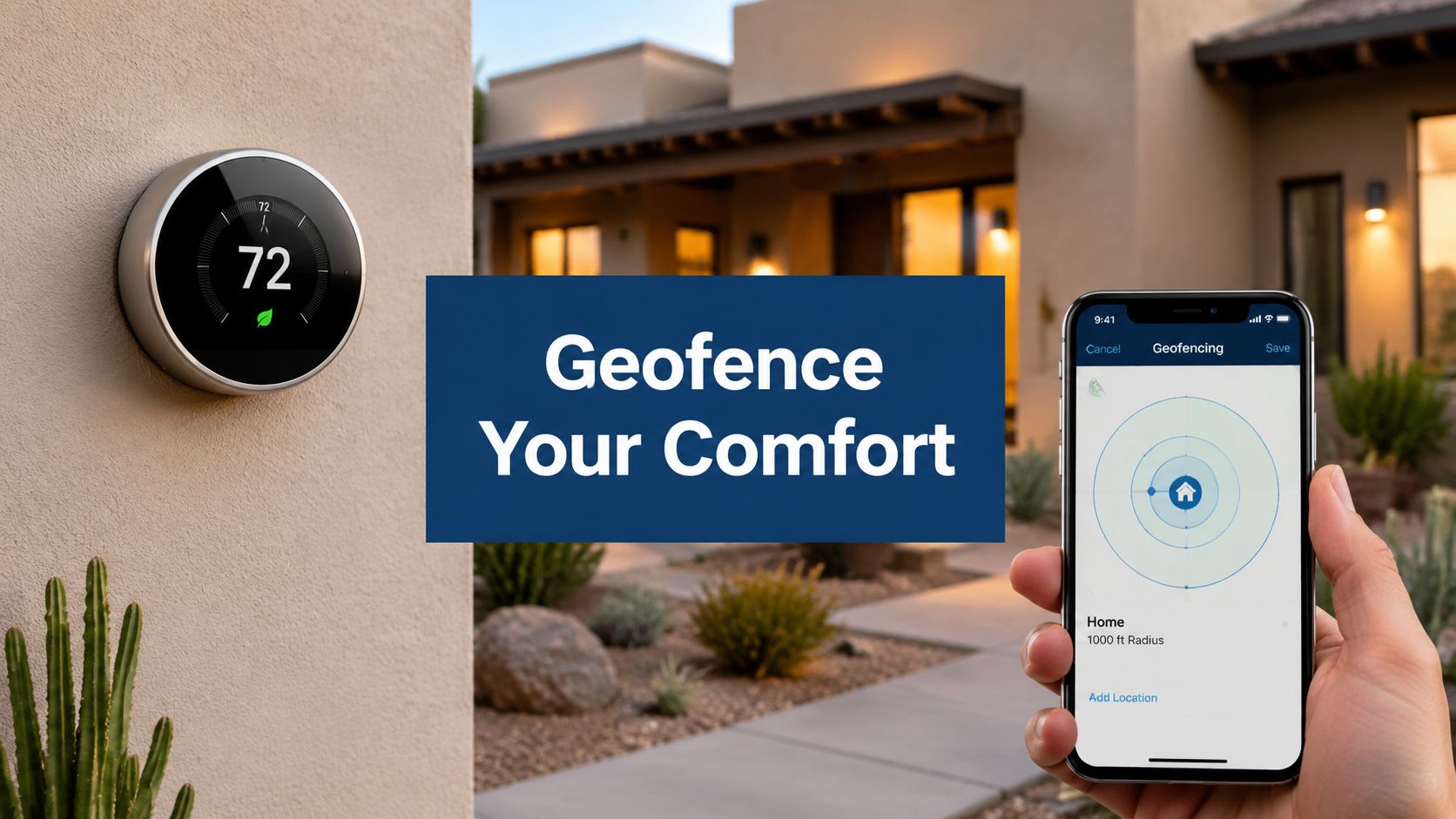
A Mesa house can be 82 degrees by breakfast and climbing fast before the first car leaves the driveway. That's where smart thermostat geofencing sounds useful, because the thermostat can back off when nobody's home and restore comfort before someone walks back in.
The catch is that it only works well when the house, the phones, and the HVAC system are all set up with real-world Arizona conditions in mind. In a place like the East Valley, that means summer heat, dust, monsoon swings, rooftop units, and more than one adult coming and going on different schedules.
What Geofencing Does in a Mesa Home
A homeowner steps outside on a July morning, locks the door, and heads to work while the house is already working hard against the heat. Geofencing is the thermostat feature that notices that departure and shifts the system into an away setting without anyone touching the wall panel.
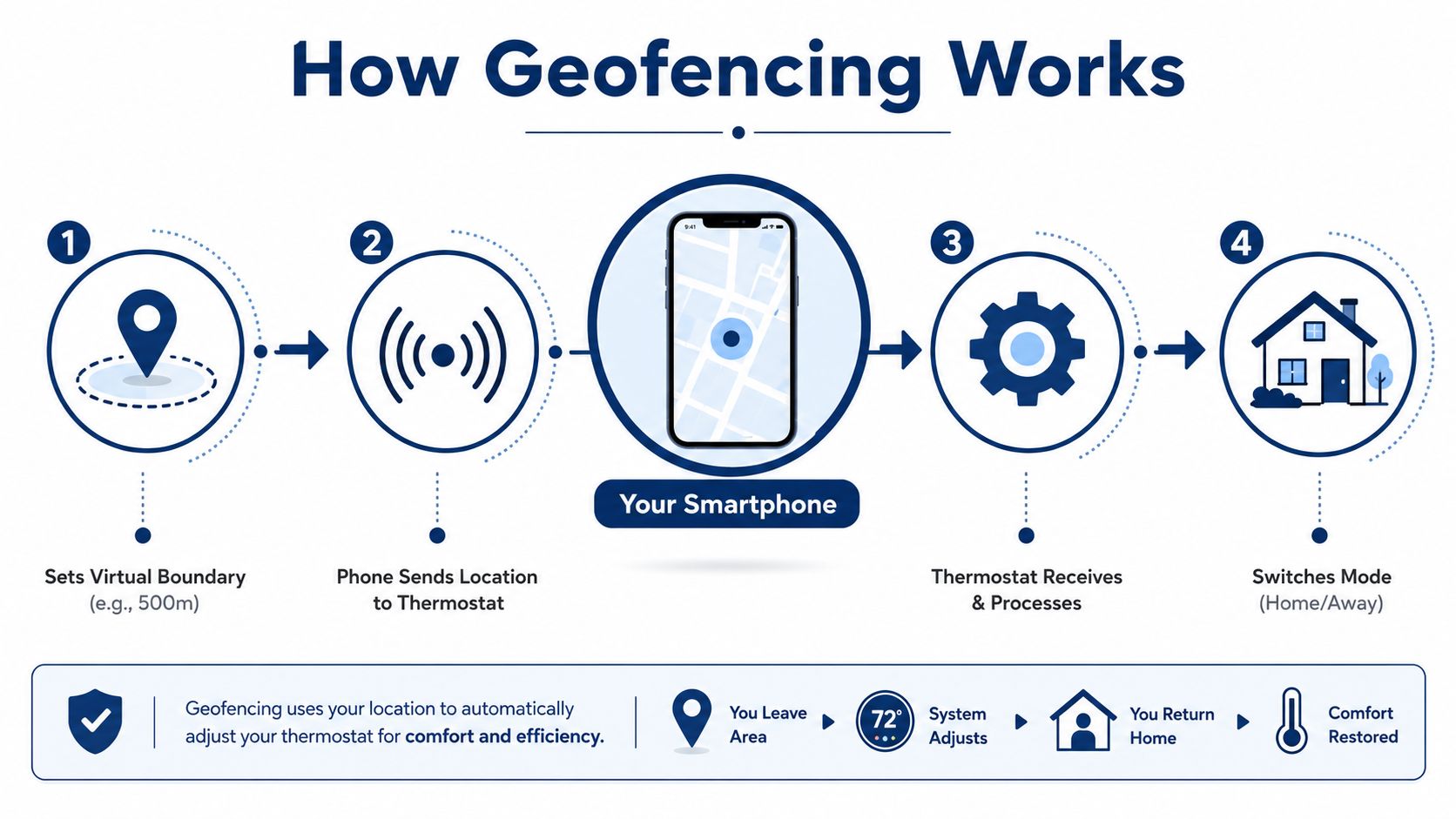
At the simplest level, it is a virtual boundary around the home. When the phone crosses that boundary, the thermostat reacts, usually by changing from Home to Away mode or by nudging the set point upward or downward in the background. For a Mesa house with a rooftop unit, that matters because the system may need lead time to recover before someone gets back inside.
That's why this feature gets treated as convenience marketing in some homes and as a real control strategy in others. In Arizona, the difference comes down to whether the boundary is tuned well enough to avoid false triggers during errands, school drop-offs, lunch runs, and the usual East Valley stop-and-go routine.
Geofencing also depends on how the household moves. A phone can leave the zone before the last person leaves the driveway, or it can stay in range while someone is still inside for a quick shower, a pickup, or a forgotten backpack.
That is where calibration matters. Multi-adult homes, older rooftop systems, and Mesa houses that heat up fast all need settings that match the way people really come and go, not a clean theory on an app screen.
For a practical parallel on the building-operations side, the idea behind planning an unmanned office with Constructive-IT is that automation only works when the environment supports it. Geofencing follows the same rule, and the same caution shows up in the smart thermostat benefits in Phoenix, where convenience only holds up if the setup fits the home.
How Smart Thermostat Geofencing Works
The virtual fence idea
Think of geofencing like an invisible boundary around the house, similar to an invisible dog fence. The phone crosses that line, the app notices, and the thermostat gets an event telling it to switch modes. It does not continuously scan the house for people moving around inside.
That distinction matters because the thermostat is not getting a live occupancy stream. It is getting a trigger from the phone's location-services stack, then the cloud service passes that event along and the thermostat changes state. In other words, the phone is doing the location work, not the thermostat itself.
Why the location source matters
The phone's accuracy changes depending on how it is estimating location. GPS outdoors is usually the most precise, around 3 to 10 meters. Wi-Fi positioning is less exact, around 10 to 50 meters, and cell-tower triangulation can be off by hundreds of meters. Those differences matter because a fence that is too tight can chatter, while one that is too wide can delay the setback and recovery cycle (RFwel geofencing support).
That is also why background app permission is not optional on most systems. The phone needs Wi-Fi and location services enabled, and the app often needs background access so it can detect crossing events even when nobody is actively opening the app. The thermostat only responds after that event is delivered.
Setback control versus full mode switching
Not every system uses geofencing the same way. Some platforms use it as a light setback controller, while others treat it as a full Home/Away toggle. Sensi's geofencing, for example, uses a 3-mile radius and shifts set points by 3°F when the tracked device leaves, then restores the prior set point when it returns (Sensi support).
That kind of design is useful because it shows the feature is often layered on top of the schedule, not replacing it. For homeowners comparing app features, the broader thermostat feature set and control logic is worth reviewing in the context of smart thermostat benefits in Phoenix, especially if the house already has zoning or multiple comfort priorities.
Energy Savings and Comfort Trade-offs in Arizona Heat
Mesa homeowners care about geofencing because it can trim cooling run time when nobody is home and still bring the house back to comfort before the family walks in. Early utility studies cited in an ACEEE paper found Nest users reduced heating gas use by about 13.3% and cooling electricity use by 14.5% across utility studies with roughly 1,400 participants. That kind of result helped show why geofencing can work as an occupancy cue, especially in homes where the schedule changes from day to day.
Mesa heat changes the math. A geofence that looks fine in spring can behave differently when an afternoon hits 110°F, the rooftop unit is already running hard, and the house has to recover through hot attic air and dusty ductwork. In those conditions, a thermostat that backs off too far can leave the system scrambling to catch up later, which is harder on comfort and sometimes harder on the equipment.
Recent field results are less tidy, and that matters in East Valley homes with more than one adult coming and going. A 2024 field study cited in an independent analysis reported geofencing-only thermostats in dual-adult households averaged 3.2 unnecessary recovery cycles per day, with each cycle taking 15 to 22 minutes of full HVAC runtime to restore comfort. Over a heating season, those extra cycles were estimated to add 12% to 18% to baseline energy use, depending on behavior and settings. That is the calibration problem homeowners run into, the fence may signal away too early, or it may keep bouncing the system back on before the house has settled.
The bill picture from the same comparison is even more uneven. In randomized groups of 72 and 75 homes, geofencing-only systems showed annual utility-cost savings of $18.20 versus $154.60 for the occupancy-pattern AI approach, and cooling-season electricity changed by -0.8% for geofencing-only compared with -18.6% for AI (independent analysis). That lines up with what I see in East Valley houses on hot afternoons. If the fence is set too loose, the system may waste cooling. If it is set too tight, the house may recover late, which is roughest in older homes with weaker insulation or rooftop equipment that has to fight long heat soak.
If you are trying to connect thermostat behavior to a broader summer budget, the local Arizonabill cost guide is a useful reference point for the rest of the cooling picture. It helps put thermostat savings in context, since attic heat, duct leakage, and system size still shape what shows up on the bill.
| Outcome | Geofencing-only | Occupancy-pattern AI |
|---|---|---|
| Unnecessary recovery cycles in dual-adult homes | 3.2 per day | Not stated in the source data |
| Single-cycle full HVAC runtime to restore comfort | 15 to 22 minutes | Not stated in the source data |
| Estimated seasonal energy effect from extra cycles | 12% to 18% added baseline use | Not stated in the source data |
| Annual utility-cost savings in randomized groups | $18.20 | $154.60 |
| Cooling-season electricity change | -0.8% | -18.6% |
For homeowners comparing thermostat settings with the rest of the cooling load, the practical side matches the tips for affordable home cooling, because thermostat control only does part of the job when the attic, ducts, and outdoor heat are still working against the system.
When Geofencing Is the Wrong Tool for the Job
Geofencing is not a cure-all. In some Mesa homes, it can make comfort worse if the fence is too tight, the phone signal is noisy, or the household routine is more complicated than a simple leave-and-return pattern.
When the boundary is too small
A tight fence can cause the thermostat to flip out of Home mode when the phone is still nearby, then right back again a few minutes later. That oscillation is annoying in a mild climate, but in an Arizona summer it can mean extra runtime right when the house is already fighting a heat load. In older homes with less insulation, the system may never settle into a stable pattern.
When more than one adult is involved
Many homes do not have one predictable schedule. If one adult leaves for work and another stays home, the thermostat should not act on the first departure alone if the other phone is enrolled. Some systems wait until the last tracked device leaves, which reduces false away events but also reduces savings if one person is frequently out while someone else remains inside.
When the schedule already works
A fixed schedule often beats geofencing for homes with repeatable routines. That is especially true for houses where the family leaves and returns at roughly the same times, or for homes where the thermostat must coordinate with zoning equipment or a heat pump that needs a steady rhythm. The newer occupancy-focused systems are the better fit in larger households, particularly when several adults come and go on different timers.
If the contrarian answer matters, it's possible that geofencing can be more trouble than it's worth. Consider a system that already maintains comfort, a household with a stable pattern, or a fence causing constant toggling. That does not make the feature bad. It means the house is not a good match for it.
Setting Up Geofencing for a Mesa Home
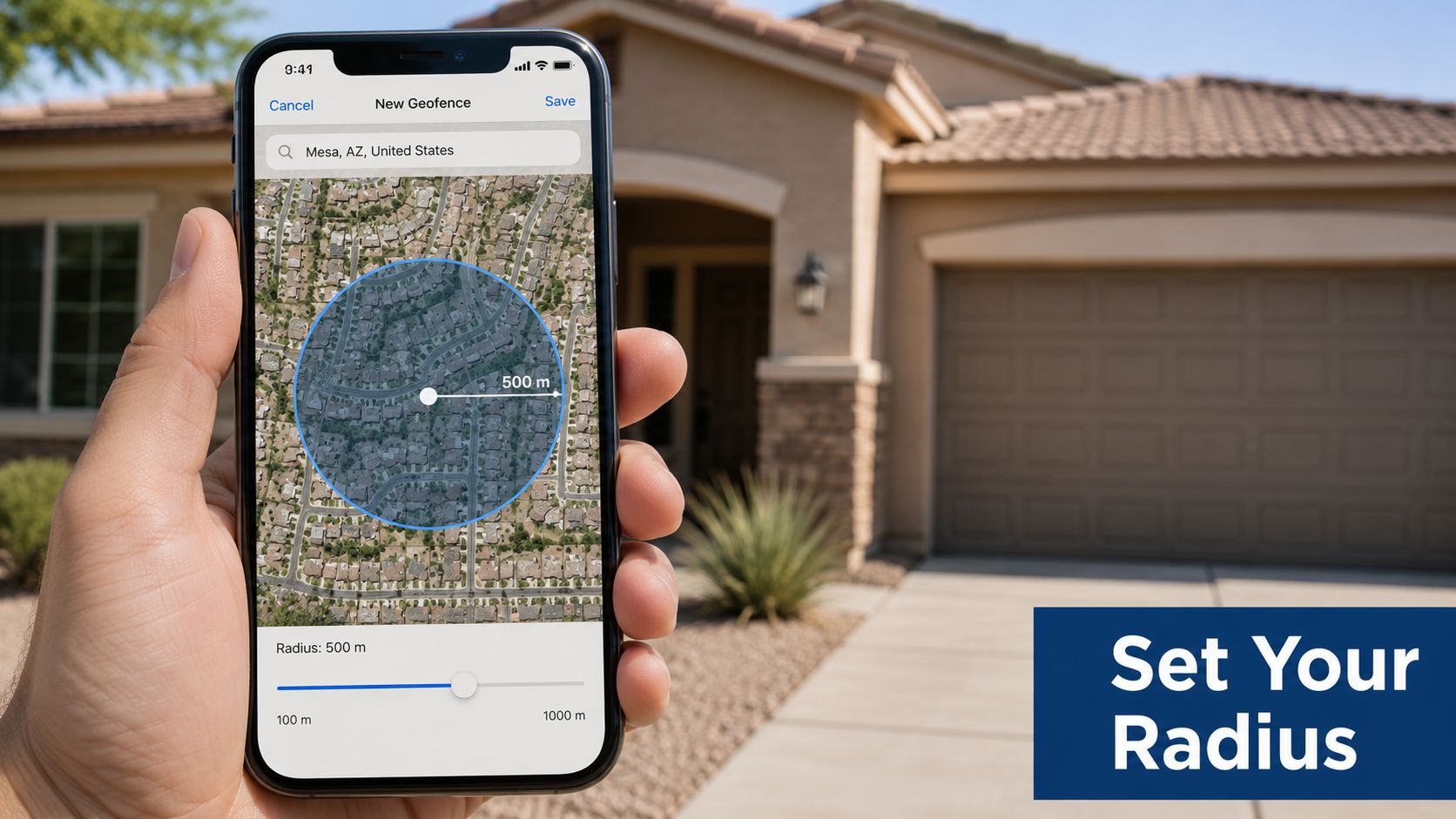
The cleanest setup starts with a radius that is large enough to avoid chatter and small enough to give the system time to respond. A recent source recommends a starting point of about 500 meters and observing the system for a week (descentanalysis.org). That is a sensible middle ground for many Mesa homes, especially when the phone jumps between GPS, Wi-Fi, and cell data as the user drives through dense neighborhoods or shopping corridors.
Radius is only one part of the setup. The phone also needs background location permission, Wi-Fi turned on, and the thermostat app allowed to run location checks when the app is not open. If one adult has a phone that is not enrolled, the system may act as if someone is still home when the house is empty.
For a homeowner comparing setup paths, the practical difference between a clean app-based setup and a wired thermostat change matters. The basics of smart thermostat installation are usually simple when the wiring matches, but the geofencing feature should still be treated as a settings job, not a guess-and-hope exercise.
What to tune first in Arizona
Summer settings deserve the most attention because the house may need a faster recovery after someone returns. In shoulder seasons, the fence can usually stay a little tighter since the outdoor temperature is less punishing. During monsoon weather, humidity can make a short away cycle feel less comfortable even if the temperature number looks fine, so longer runtime may be needed to pull moisture out of the air before anyone gets home.
That is also why geofencing should usually sit on top of the existing schedule, not replace it. A working program should stay in place as the baseline, with geofencing acting as a layer that nudges the system when the home is clearly empty. For a homeowner who wants to compare thermostat choices before changing equipment, DIY thermostat setup tips can help separate a simple app setup from a case where the wiring or system type needs a pro.
Privacy and Accuracy Trade-offs Worth Knowing
Geofencing is often described as if the thermostat knows where people are all the time. It does not. The thermostat gets a boundary-crossing event from the cloud service, while the phone handles the actual location work. That reduces the amount of live tracking happening at the thermostat itself, but it does not remove the need to think carefully about permissions.
Background location access is the key setting. Without it, the app may miss the boundary crossing and fail to switch modes. If a household member opts out of geofencing entirely, the system can usually be left to run on the normal schedule, which is the right answer when privacy matters more than automation.
Accuracy can be poor near the property edge
A Mesa homeowner with a home office near the lot line may run into false triggers if the phone drifts in and out of the fence during the day. That can happen because the phone is getting a noisy location estimate from Wi-Fi or cell data, not because the thermostat is misbehaving. The fix is usually to widen the radius, improve the location permissions, or stop using geofencing for that phone altogether.
For homeowners who want to keep automation without oversharing data, the right mindset is simple. Share the least location access needed for the feature to work, and turn the feature off if the household is not comfortable with it. Accuracy and privacy live in the same settings screen.
Compatibility With Rooftop Units and Older Arizona Systems
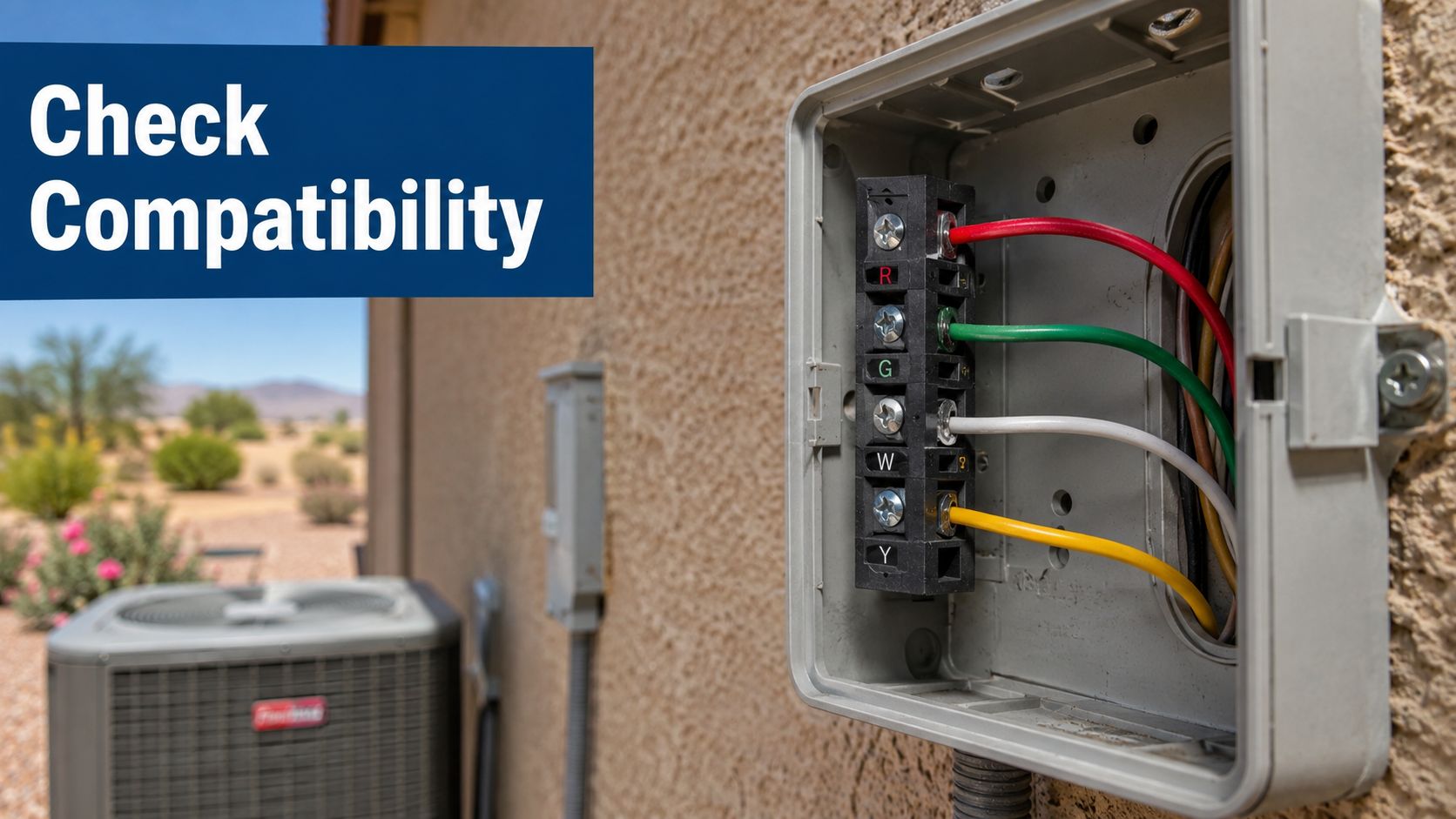
Geofencing only helps if the thermostat can control the HVAC system correctly. In Mesa and across the East Valley, that means checking whether the home has a common-voltage setup, whether a C-wire is available, and whether the thermostat can talk cleanly to the equipment already on the wall or roof.
Older tract homes and many rooftop package units can be compatible, but they are not all wired the same way. Some systems need a C-wire adapter before a smart thermostat will run reliably. Others need a service visit because the old thermostat was hiding wiring problems that only show up after the upgrade. If the system uses a mercury-bulb thermostat or the wiring is unclear, that is not the place for trial and error.
A smart thermostat can also work with zoned systems, heat pumps, and ductless mini-splits, but each of those setups changes how geofencing should behave. If the thermostat is controlling several zones, the away logic should not create a comfort mess in one part of the home while another part stays occupied. For homes with rooftop equipment common in Arizona, rooftop AC installation for Arizona homes is a useful reference point for understanding why the wiring and equipment type matter before any app feature gets turned on.
Troubleshooting Common Mesa Geofencing Problems
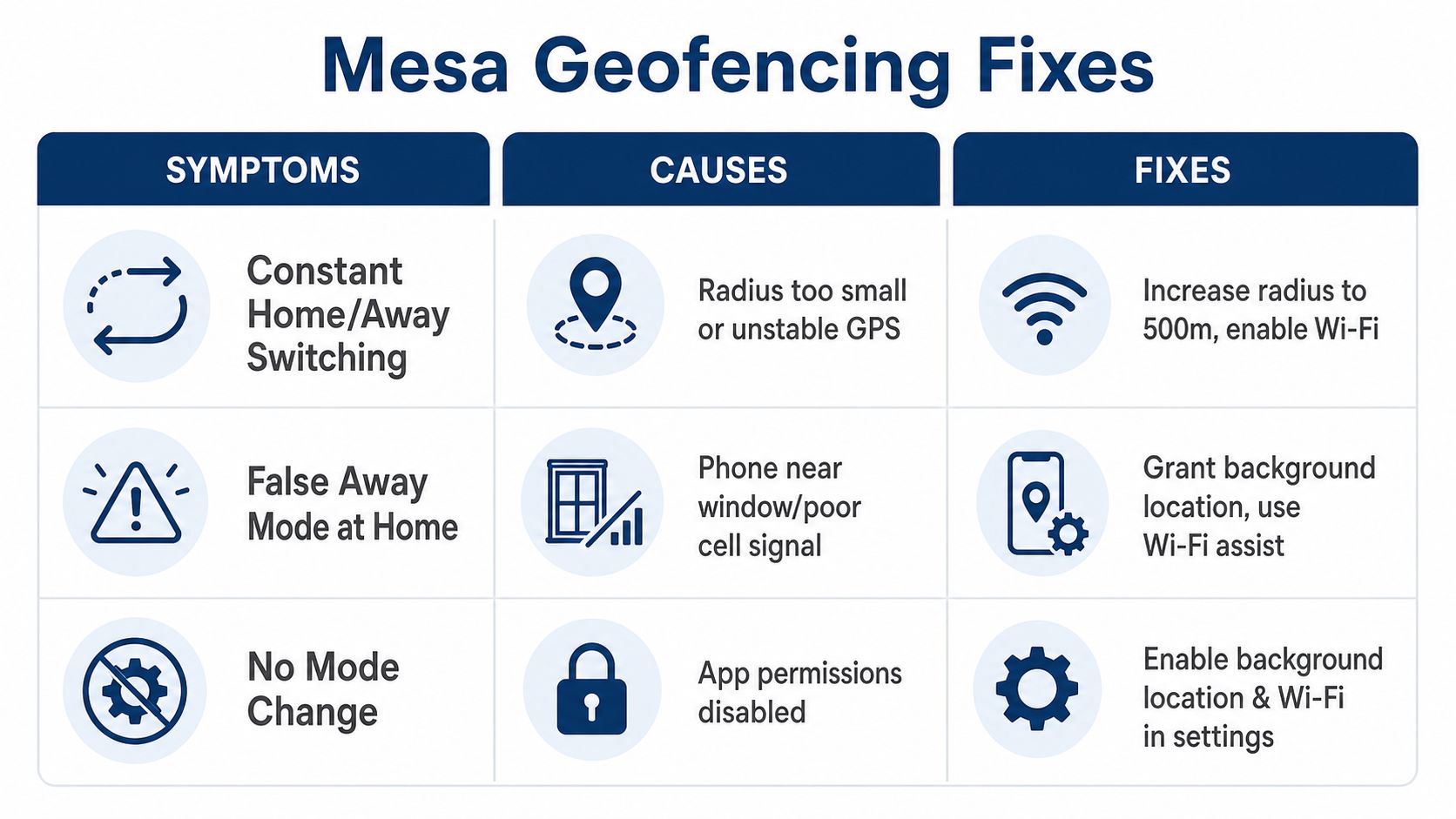
The most common complaints are usually about the feature acting too jumpy, not about the thermostat failing completely. When a Mesa homeowner says the system keeps switching modes, the pattern usually points to radius choice, permissions, or HVAC equipment that cannot recover cleanly in summer heat.
Oscillation between Home and Away
If the thermostat keeps bouncing back and forth, the fence is often too tight or the phone location estimate is unstable. Increasing the radius and keeping Wi-Fi enabled usually improves reliability. If the switching still happens after tuning, the problem may be at the HVAC level, not the app, especially if the system is already struggling to hit set point.
False away mode while someone is still home
A phone parked near a window can confuse the location stack, especially when cell coverage is weak or the router signal is bouncing around the house edge. Background location permission and Wi-Fi assist can help, but the best fix may be to move the radius outward or stop relying on geofencing for that device. In a home office near the boundary, geofencing may never be stable enough to trust.
No mode change at all
If nothing happens when the phone leaves, the app permissions are the first thing to check. The phone may have location access turned off, background updates disabled, or Wi-Fi off. If those settings are right and the thermostat still does nothing, the issue can be a pairing problem between the app, the cloud service, and the equipment.
Recovery is too slow when someone comes back
Sometimes the house is still too warm or too humid by the time people walk back in. That usually means the fence is delaying the return trigger, the home is gaining heat too fast, or the system itself is undersized for the load. Radius tuning may help, but if recovery still lags after that, the issue is likely HVAC capacity, duct performance, or maintenance.
Dust and wear can look like thermostat trouble
Arizona dust does not just sit on furniture. It can affect contactors, coils, filters, and sensors, and those issues sometimes look like a bad thermostat setting. If short-cycling continues after geofence tuning, a failing capacitor, airflow restriction, or oversized system may be the underlying cause. That is the point where a homeowner should stop changing app settings and have the HVAC equipment inspected.
For homeowners comparing what they can handle and what needs a tech, DIY thermostat calibration tips can help with the settings side. If the system still behaves badly after those checks, it is no longer a calibration problem.
The clean decision comes down to three checks. First, is the HVAC system compatible with a smart thermostat and geofencing. Second, is the household routine predictable enough for location-based automation to help instead of hinder. Third, are the comfort problems really thermostat behavior, or are they signs of an HVAC issue that needs a technician.
For Mesa and East Valley homeowners who want geofencing set up the right way, or want to know whether the thermostat is the problem at all, Comfort Experts can help. Call 480-207-1239 or schedule service to get a smart thermostat, zoning, or cooling diagnosis that fits your home and the way your family lives.