It’s a sound every Phoenix homeowner dreads: the AC goes quiet, but the house is still hot. That silence means your ac fan not working is the only thing standing between you and a comfortable home. Before you start to sweat, let's figure out what’s going on, because honestly, you have more control over this situation than you might think.
What to Do When Your AC Fan Stops Spinning
Your air conditioner actually has two different fans, and they both have to work for the system to cool your home. One is the indoor blower fan, and the other is the outdoor condenser fan. Figuring out which one quit is the first step, and it’s simpler than it sounds.
The indoor blower is the part inside your home (usually in a closet, attic, or garage) that pushes the cold air through your ducts and out the vents. The outdoor fan sits on top of the big condenser unit in your yard, and its job is to get rid of the heat your system pulled out of the house. So, which one is the culprit?
Indoor Fan vs Outdoor Fan Issues
The symptoms are pretty different depending on which fan is the problem. This is where a lot of people get confused, but it's simple once you know what to listen and feel for. Are your vents blowing air that just isn't cold? Or did the airflow stop completely?
To make it even easier, here’s a quick responsive table to help you pinpoint the issue.
Quick Diagnosis for Indoor vs Outdoor Fan Failure
| Symptom | Likely Problem Fan | Common Causes |
|---|---|---|
| No air is coming out of the vents at all. | Indoor Blower Fan | Tripped breaker, bad motor, faulty capacitor, dirty filter |
| Air is blowing, but it's not cold. | Outdoor Condenser Fan | Bad capacitor, worn-out contactor, seized motor |
This quick check is your starting point. A fan that isn't moving outside points to a problem with the outdoor unit, while a total lack of airflow from your vents points straight to the indoor blower.
The simplest test is to just put your hand over a vent. No air means it’s likely an indoor blower issue. Lukewarm air means you should probably go check the outdoor unit.
This flowchart gives you a visual path to follow when you realize your AC fan isn't working.

As the chart shows, that one simple observation—air or no air—tells you where to focus your troubleshooting. If you’ve confirmed that you have zero airflow, you can find more specific advice in our guide on what to do when your AC is not blowing air.
From here, we can dig into the common culprits behind each type of fan failure.
Essential Safety Checks Before You Begin
Alright, before you grab any tools or start poking around your air conditioner, we need to have a serious talk about safety. Your AC unit runs on high voltage, and trying to figure out why your AC fan is not working without killing the power first is a recipe for disaster. This isn't just a friendly tip—it's the absolute first thing you must do to stay safe.

The goal here is to make sure there's zero electricity flowing to both your indoor and outdoor AC units. This takes a few steps because different parts of the system are often on separate electrical circuits. Let me explain.
How to Completely Cut Power to Your AC System
First, walk over to your thermostat and set the system to OFF. This stops the low-voltage command that tells your HVAC system to kick on. If you want to be extra sure, you can pop the batteries out if your thermostat model allows it. For a more detailed walkthrough, check out our guide on how to reset an AC thermostat.
Next up is your home's main electrical panel, or breaker box. You'll usually find it in the garage, a utility closet, or the basement. Look for the breakers labeled for your “AC,” “Air Handler,” or “Condenser.” You’ll probably see two of them—one for the indoor unit and another for the outdoor one. Flip both breakers firmly to the "OFF" position.
Crucial Tip: Never assume one breaker cuts power to everything. We've heard too many stories about homeowners getting a nasty shock because they only flipped one breaker. Always treat the system as if it's live until you've completed every single step.
Even with the breakers off, there's one last, critical stop. Go outside to your condenser unit—the big metal box with the fan. Right next to it, mounted on your house, is a smaller metal box called the disconnect switch.
This box will have either a handle you pull out or a simple switch.
- For a pull-out disconnect: Grab the handle and pull it straight out of the box.
- For a switch-style disconnect: Just flip the lever to the "OFF" position.
The risk of electrocution from large appliances is no joke. The Consumer Product Safety Commission reports that large appliances like air conditioners are involved in about 15% of all consumer-product related electrocutions, many of which happen during DIY repair attempts. Taking these precautions seriously is non-negotiable.
Only after you’ve turned off the thermostat, flipped both breakers, and disabled the outdoor disconnect switch is it truly safe to move on to a visual inspection. This layered approach ensures no leftover electrical charge is waiting to give you a dangerous surprise.
Investigating Your Indoor Blower Fan Issues
So, you’ve done the initial safety checks and the outdoor unit is running, but you feel absolutely zero air coming from your vents. This classic scenario almost always points to an issue with the indoor blower fan.
An AC fan that won’t cooperate can have a few different causes, but we’ll start with the simplest things you can check yourself before calling for backup. Let’s walk through how to safely figure out what’s going on inside.
First up is the single most common—and thankfully, cheapest—culprit: a severely clogged air filter. When a filter gets choked with dust, it’s like trying to breathe through a pillow. It suffocates the system.
This forces the blower motor to work way harder than it’s designed to, which can cause it to overheat and trip an internal safety switch, shutting it down completely to prevent damage.
Expert Insight: You would be shocked how many of our service calls for a “dead” AC turn out to be nothing more than a dirty filter. We’ve pulled out filters so caked with dust and pet hair they look like a fuzzy gray blanket, completely blocking any and all airflow.
Checking your filter is a critical first step. If you’re not sure where it is or how to swap it out, our guide on locating your home’s air filter can walk you through it. A fresh, clean filter might be all it takes to bring your fan back to life.
Checking the Thermostat Fan Setting
Another simple thing to check is right on your wall. Take a look at your thermostat’s fan setting. Most have a switch that lets you pick between "AUTO" and "ON."
- AUTO: The fan only runs when the air conditioner is actively cooling.
- ON: The fan runs all the time, whether the AC is cooling or not.
Go ahead and flip the switch to the "ON" position. If you hear the fan kick on and feel air moving through the vents, that’s great news! It means the fan motor itself is working. The problem is likely with the control side of the cooling cycle—a valuable clue for a technician.
But if the fan stays silent even when set to "ON", we need to dig a little deeper.
Listening for Signs of Mechanical Failure
Now it’s time to use your ears. With the system still set to cool, go stand near your indoor air handler unit (this is usually in a closet, the attic, or your garage). Just listen for a minute. What do you hear?
- A Loud Humming or Buzzing: This sound often means the motor is getting power but is stuck and can't start spinning. The most common reason for this is a failed run capacitor—a small component that gives the motor the electrical kick it needs to get going.
- A Grinding or Screeching Noise: This is never a good sign. It almost always points to worn-out motor bearings. Unfortunately, this usually means the motor itself is failing and will need to be replaced.
- A Burning Smell: If you smell anything electrical or burning, shut off all power to your HVAC system at the circuit breaker immediately. This is a serious red flag that the motor has likely overheated to the point of melting its wire insulation, which is a major fire hazard.
These sounds are your AC’s way of screaming for help. Issues like a bad capacitor or a failing motor involve high-voltage electricity and are absolutely not DIY jobs. For your safety, these problems require a trained professional.
Troubleshooting Your Outdoor Condenser Fan
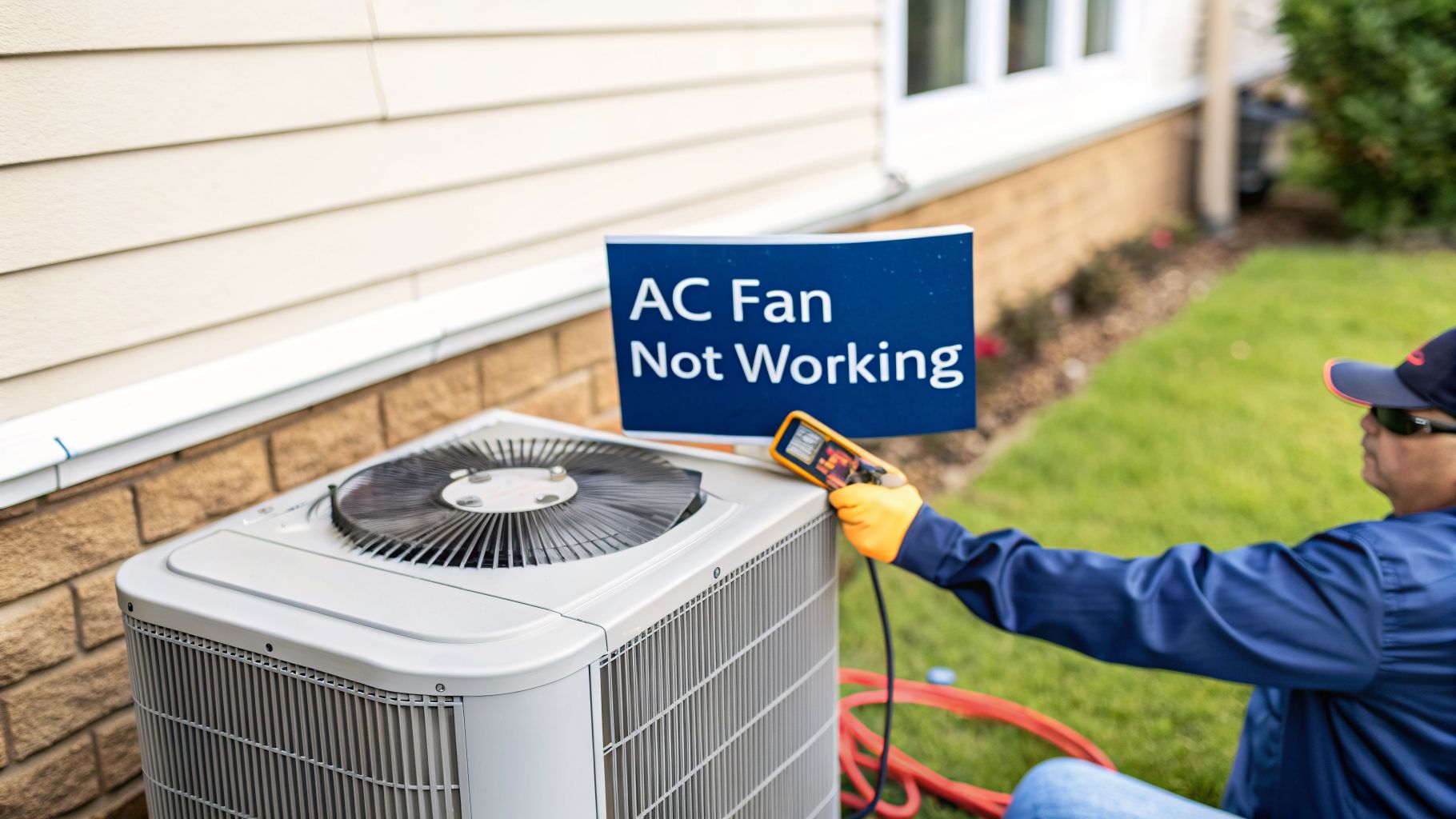
Feeling air moving through your vents, but it’s just not cold? That’s a classic sign the problem isn’t inside your home, but out in the yard. Head outside to your condenser unit—that big box with the fan on top. If the system is running but that big fan isn’t spinning, you’ve pinpointed the issue.
You know what? The good news is, sometimes it's an easy fix. But first, a quick visual check is in order. After you've turned off the power at both the thermostat and the breaker, peer down through the fan grate. Do you see a buildup of leaves, fallen palm fronds, or maybe a kid's stray frisbee blocking the blades? Carefully pull out any debris you can safely reach. It’s surprising how often a simple obstruction is all it takes to stop a fan in its tracks.

If a quick cleanup doesn't get the fan moving again, it's time to consider the parts that most often fail from the stress of our Arizona heat.
Identifying a Failed Capacitor
A failed run capacitor is the number one reason we see for a dead condenser fan. Think of the capacitor as a small battery; it gives the fan motor that initial jolt of power to get started and then helps it run smoothly. In the brutal Phoenix heat, these components are under constant strain and are usually the first part to give out.
With the power completely off, you can often spot a bad one just by looking. Find the metal, can-shaped component—that's the capacitor. Do not touch it. Just look for these tell-tale signs:
- A bulging or puffy top: A healthy capacitor is flat on top. A failing one will look domed or swollen.
- Leaking fluid: You might spot an oily residue on the capacitor itself or on the unit floor beneath it.
- Heavy corrosion: Significant rust on the terminals is another red flag.
Even with the power disconnected, a capacitor can hold a dangerous electrical charge. A technician uses special tools to safely discharge the component before touching it, which is why capacitor replacement should always be left to a licensed professional.
Understanding the Contactor and Fan Motor
If the capacitor looks normal, our next suspects are the contactor and the fan motor. The contactor is an electrical switch. When your thermostat calls for cooling, it pulls in a plunger to send power to the fan motor and compressor. Over time, the contact points can get pitted, burned, or—believe it or not—infested with ants, which prevents a solid connection.
If the capacitor and contactor appear fine, the fan motor itself might have finally burned out or seized up. A common symptom is a loud humming or buzzing sound coming from the outdoor unit as the motor tries—and fails—to start spinning. A dead motor is a major repair and definitely requires a professional diagnosis to confirm before you replace it.
In our experience, the majority of AC failures are electrical. Research backs this up, with one study showing that 60% of all HVAC equipment failures trace back to electrical or control issues, like a bad capacitor or fan motor.
Keeping the area around your condenser clear is one of the best things you can do for its health. For a step-by-step guide, check out our article on using a condensing coil cleaner. It’s a simple task that helps prevent the kind of debris buildup that can lead to bigger fan problems down the road.
Knowing When to Call an AC Professional
Look, we get it. There's a certain satisfaction in figuring out what's wrong with your own equipment. But when it comes to your AC, there's a hard line between a safe DIY check and a dangerous repair attempt. Knowing when to put the tools down and pick up the phone is the most important skill you can have. It protects you, your family, and your home from turning a simple fix into a system-wide disaster.
If your own troubleshooting points toward a serious component failure, the next step is finding a trustworthy local pro. Learning a little about things like finding qualified HVAC technicians through local SEO can help you sort the good from the bad. A real expert doesn’t just swap a part; they figure out why it failed to keep it from happening again next summer.
Definitive Signs to Stop and Call for Help
Some symptoms are non-negotiable. If you run into any of these red flags, your work is done. It's time to call in someone with the right training and tools. Here’s the thing: ignoring them can be dangerous.
- Buzzing or Humming Without Fan Movement: This is a classic sign of a seized motor or a failed capacitor. Both parts handle a lot of electricity and can hold a dangerous charge long after you've cut the power. This is a serious shock hazard.
- Visible Damage to Wiring: Any wiring that looks frayed, melted, or like something has been chewing on it is an immediate fire risk. Don't touch it.
- Burning Smells: That sharp, acrid smell of burning plastic or electronics means a component is overheating badly. Shut the system down at the breaker right away.
- The Breaker Keeps Tripping: A breaker that trips over and over is doing its job. It's screaming that there's an electrical short or an overloaded motor that could cause a fire if you keep forcing it to run.
At Comfort Experts, we've seen firsthand how a small, timely repair can prevent a full system replacement. A buzzing sound that's ignored can lead to a completely fried compressor—turning a potential $250 fix into a $5,000 problem.
The Power of Proactive Maintenance
The absolute best way to avoid a surprise ac fan not working scenario is to prevent it from happening in the first place. Think of professional maintenance as a yearly physical for your home’s hardest-working appliance. During a tune-up, a technician can spot a weakening capacitor or a fan motor that’s drawing too much power long before it gives up on a 115-degree afternoon.
Here’s a quick look at what a pro sees versus what you can see from the outside in a responsive table.
| Professional Check | DIY Observation |
|---|---|
| Capacitor testing with a multimeter | Visually checking for a swollen top |
| Measuring motor amperage draw for signs of strain | Listening for loud or unusual noises |
| Inspecting contactor points for pitting and wear | Visually checking for debris |
This proactive approach is the single smartest investment you can make in your system's reliability. If you’re seeing any of the serious symptoms we've covered, making the safe call is your best move. For more on what to expect when you schedule a visit, you can learn more about our professional AC repair services.
Frequently Asked Questions About AC Fan Problems
When your AC fan is not working, especially here in Phoenix where we depend on our air conditioners nearly year-round, a few questions pop into your head almost immediately. We get these calls all the time, and who could blame you for wanting answers fast?
Here are the straight answers to the most common questions we hear, based on our years of experience out in the field. This should give you a clearer picture of what you might be dealing with.
How Much Does It Typically Cost to Fix an AC Fan in Phoenix?
This really comes down to which part gave out. One of the most common repairs we handle is a bad capacitor, and it's a relatively quick fix for a trained technician. A straightforward capacitor replacement usually falls in the $150 to $350 range.
But if the entire condenser fan motor has failed, the cost is definitely higher. For that, you could be looking at a repair between $400 and $900, sometimes more depending on the brand of your AC and how complex the job is. Our team at Comfort Experts will always give you a precise, upfront quote before we start any work, so you'll know exactly what to expect.
Can I Run My AC If the Fan Is Not Working?
The short answer is a hard no. Shut the system off at your thermostat and the circuit breaker right away.
Running your air conditioner without the outdoor condenser fan working will cause the compressor—the heart of your system—to overheat and fail catastrophically. That turns a moderate repair into a potential replacement costing thousands. If it's the indoor blower fan that's stopped, the indoor evaporator coil can freeze into a solid block of ice, which can cause serious water damage to your home as it thaws.
How Long Do AC Fan Motors and Capacitors Last in Arizona?
That's a great question. In our brutal climate, a well-maintained AC fan motor can last 10-15 years. The constant, extreme heat is just tough on all electrical parts.
Capacitors, on the other hand, have a much shorter life. Thanks to the intense heat they work under, we often see them fail within 5-10 years. This is where regular tune-ups really pay off—a tech can spot a weak or bulging capacitor and replace it before it fails, saving you from an emergency breakdown on a 110-degree day.
Should I Repair or Replace My AC Unit If the Fan Motor Fails?
This is where you have to weigh the numbers. If your air conditioner is over 12 years old, uses the outdated and expensive R-22 refrigerant, and then has a major failure like the fan motor, it's often more cost-effective in the long run to put that repair money toward a new, high-efficiency system.
A new unit comes with lower energy bills, better reliability, and a full factory warranty. Our technicians can run the numbers for you, comparing the repair cost against the long-term savings of a replacement, helping you make the best financial call for your home.
When you're dealing with an AC fan problem and aren't sure what to do next, don't risk it. The team at Comfort Experts is here to provide honest diagnostics and safe, reliable repairs. Give us a call at 480-207-1239 or schedule service online, and we’ll get your home cool and comfortable again.