Upgrading your home's comfort system is an exciting prospect, and this smart thermostat installation guide is designed to make the process as smooth as possible. A smart thermostat can revolutionize how you manage your home's climate and energy use, but the secret to a successful setup lies in the preparation you do before touching a single wire. This guide ensures your new gadget integrates flawlessly with your home's HVAC system from day one.
Your Essential Pre-Installation Checklist

Let’s walk through the three critical checks you need to make before you even think about turning off the power.
First, Confirm Your HVAC System Compatibility
Before you get your heart set on a specific model, you have to know what kind of heating and cooling system you're working with. Isn't it frustrating to buy a new piece of tech only to find out it won't work with your existing setup? Not all smart thermostats are universal, so this step is an absolute must.
Most homes in the Phoenix Valley have a straightforward setup that works with nearly any smart thermostat you can buy. But it's always smart to double-check, especially if your system is older or a high-efficiency model.
Here are the usual suspects:
- Standard Conventional System: This is the classic furnace-and-air-conditioner combo. You've got a separate unit for heat and another for cooling. If this is you, your options are wide open.
- Heat Pump System: Very common in Arizona, these all-in-one units handle both heating and cooling. You’ll need a thermostat that specifically supports heat pumps.
- Multi-Stage or Variable-Speed System: These high-efficiency systems run at different speeds to save energy. To get your money's worth, your smart thermostat must be able to control those different stages.
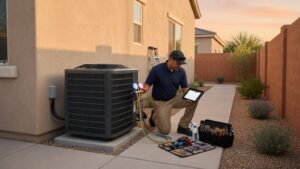
The easiest way to check is to look for a label on your indoor furnace or outdoor AC unit. It should tell you the model and type. If you're still not sure, give us a call. As the Comfort Experts, we've seen every system type imaginable and can quickly determine compatibility.
Next, Tackle the Crucial C-Wire Check
Now for the part that trips up more DIY installers than anything else: the C-wire, or "common wire." This little wire is a game-changer because it provides continuous 24V power to your new thermostat.
Why does that matter? Your fancy new smart thermostat needs constant juice to power its bright touchscreen, stay connected to Wi-Fi, and do all its smart stuff. Old battery-only thermostats just didn't have those demands.
The C-wire is the most reliable way to power your smart thermostat. Some models have workarounds, but a dedicated C-wire prevents power-related glitches and potential strain on your HVAC system down the road. Our experience shows that installations with a C-wire are far less likely to experience issues.
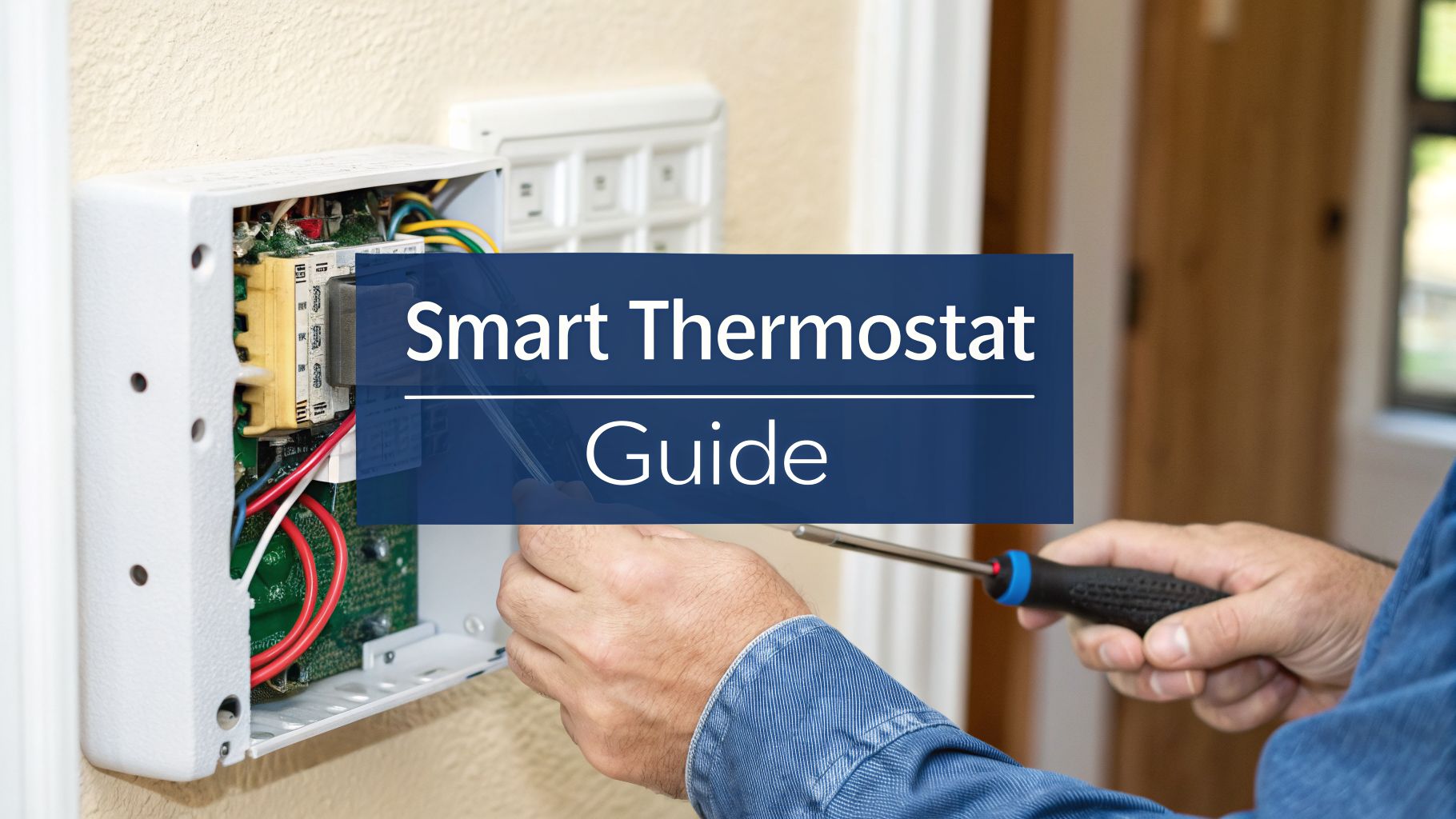
To find out if you have one, just pop the faceplate off your current thermostat. Look at the lettered terminals where the wires are connected. If you see a wire going into the "C" terminal, you're golden. If it's empty, don't panic—but you might need a power adapter kit or a little help from a pro. If you find yourself in over your head, our guide on how to choose the right HVAC company can help you find trustworthy local experts.
Standard HVAC Wire Color Code Reference
Before you disconnect a single wire, it's a great idea to know what each one does. The table below shows the standard color code for HVAC wiring. Just remember, this is a general guide—your system might be different, so always take a picture of your current wiring first!
| Wire Terminal | Common Wire Color | Function (What It Controls) |
|---|---|---|
| R, RH, RC | Red | 24V Power from the transformer |
| Y, Y1 | Yellow | Cooling (turns on the air conditioner) |
| W, W1 | White | Heating (turns on the furnace) |
| G | Green | Fan (controls the indoor blower) |
| C | Blue or Black | Common wire (provides continuous power) |
| O/B | Orange or Blue | Reversing valve (for heat pumps) |
Once you've identified and labeled your wires based on their terminal connection (not just their color!), you can move on to the next step with confidence.
Finally, Gather Your Tools for the Job
Nothing slows a project down like having to stop and search for a tool. Let's get your kit ready so everything is within arm's reach. You don't need a professional-grade toolbox, just the basics.
- Screwdrivers: A small Phillips head and a flathead will handle almost everything.
- Smartphone: This is your most important tool! Use it to take a clear picture of your current wiring before you disconnect anything. It’s your get-out-of-jail-free card.
- Pliers: Needle-nose pliers are perfect for bending and guiding those small wires into place.
- Small Level: To make sure your new thermostat doesn't end up crooked on the wall.
- Drill (optional): A small drill bit comes in handy for making new pilot holes if the old ones don’t line up with the new baseplate.
- Wire Stripper (optional): Helpful if you need to expose a little more fresh copper on a wire.
Getting this prep work done is the key to unlocking the benefits of a smart thermostat. Studies show these devices can cut household energy use by 10-15% a year, which adds up to real savings, especially during a brutal Phoenix summer. When integrated with other smart home tech, they get even smarter, helping you manage energy like never before.
Alright, let's pull that old thermostat off the wall. Now that you've got the right tools and confirmed your new smart thermostat will play nice with your system, it’s time to get down to business.
Your Step-by-Step Removal Guide
This is the part where a little patience goes a long way. You know what? Taking your time here will save you from a massive headache later on.
First things first: safety. Before you even think about touching a single wire, you have to kill the power to your HVAC system.
Shutting Down the Power (Don't Skip This)
I can't stress this enough—you absolutely cannot skip this step. Working with live wires, even the low-voltage kind in a thermostat, is asking for trouble. A quick short circuit could easily fry your brand-new thermostat or, even worse, damage the main control board on your furnace or air handler. That’s a very expensive mistake we've seen homeowners make.
Head to your home's main electrical panel, which is usually tucked away in a garage, basement, or closet.
- Find the circuit breaker labeled for your furnace or air handler.
- Flip that breaker firmly to the "OFF" position.
- Some homes have separate breakers for heating and cooling. If you see two, switch them both off just to be safe.
To be 100% sure the power is off, go back to your old thermostat and try to change the temperature. The screen should be dead, and you shouldn't hear that familiar click of your system kicking on.
Now you’re ready to get started.
The “Photo and Label” Trick Is Your Best Friend
With the power safely off, gently pull the faceplate off your old thermostat. Most of them just pop right off, though some might have a small tab you need to press. Behind it, you'll see what really matters: a mess of colorful wires screwed into a backplate.
Stop. Before you disconnect anything, take out your phone.
Get a few clear, well-lit photos of the wiring from a couple of different angles. Make sure you can easily see which color wire is connected to which lettered terminal—like the yellow wire going to the ‘Y’ terminal or the red wire in the ‘R’.
This photo is your ultimate safety net. It's the single most important thing you can do to guarantee a smooth installation. If you get turned around later, this picture will be your roadmap. As HVAC professionals, this is the very first thing we do on a service call.
Once your photos are saved, it’s time to label every single wire. Your new thermostat probably came with a sheet of little pre-printed stickers. Use them! Peel off the sticker that matches the letter of the terminal (not the color of the wire) and wrap it around its wire. No stickers? No problem. A bit of painter's tape and a pen work just as well.
Removing the Old Backplate and Prepping the Wall
Okay, every wire is photographed and has its own label. Now you can start disconnecting them. A small screwdriver is all you should need to loosen the terminal screws and gently pull each wire out.
Be careful the wires don't slip back into the wall—that’s a real pain to fish out. A simple trick is to loosely wrap them around a pencil or pen to keep them in place.
Next, unscrew the old backplate from the wall and pull it away.
You’re probably looking at a patch of wall with old screw holes, maybe even a different shade of paint. This is the perfect time for a little cleanup. Wipe the area down with a damp cloth. If you need to patch any small holes with spackle, do it now and let it dry. Many smart thermostats include a trim plate designed specifically to cover these kinds of cosmetic blemishes, which is a real lifesaver.
Taking five extra minutes to prep the wall now will make your new thermostat look like it was installed by a pro.
Mounting and Wiring Your New Smart Thermostat
With the old unit off the wall and the wires labeled, it's time to get down to the business end of this project: putting the new brain of your HVAC system in place. This is the part where paying attention to the small details really pays off. A level backplate and secure wiring are what separate a clean, professional-looking job from one that just works.
Getting the New Backplate Mounted Just Right
First up, let’s get the new backplate mounted on the wall. This little piece of plastic is more important than it looks—it's the foundation that holds everything together and where all the critical connections happen.
My number one tip here? Use a small level. I can't stress this enough. A crooked thermostat not only looks sloppy but can sometimes throw off the internal sensors.
Hold the new backplate up to the wall, carefully feeding your bundle of labeled wires through the opening in the center. Pop your level on top and adjust it until that bubble is perfectly centered. Once you've got it straight, use a pencil to mark the screw holes. If you're lucky, you can reuse the old holes. If not, you'll likely need to drill a couple of small pilot holes for the new wall anchors.
Connecting the Wires (The Main Event)
Alright, this is the moment of truth. Grab the wiring diagram that came with your new thermostat—it might be printed right on the backplate or in the manual. This is your new road map.
Take it one wire at a time. Match the letter on your label (say, the 'Y' wire) to the corresponding terminal on the new backplate. Most modern smart thermostats use simple push-in connectors or small levers. Just insert the straight copper end of the wire into the correct terminal until you feel it seat firmly.
After connecting each wire, give it a gentle tug. You want to be sure it won't pop out later. Trust me, a loose wire is one of the most common reasons a new thermostat fails to power up, and it's a frustrating fix after you've already put everything back together.
This is the perfect spot to remember the simple, three-step removal process that got you here.

This simple flow—power off, photo, labels—is the key to making sure this next step goes smoothly.
What to Do with Extra or Unused Wires
Don't be surprised if you have a wire left over that doesn't have a home on your new thermostat. This happens all the time, especially with older HVAC systems. Don't panic.
Here’s the standard procedure:
- Check the Manual: Your new thermostat’s installation guide is the first place to look. It will almost certainly have a section covering "unused" or "spare" wires.
- Cap It Safely: In nearly all cases, the right move is to cap the exposed copper end of the wire with a small wire nut to prevent it from shorting against anything.
- Tuck It Away: Once capped, carefully push the unused wire back into the wall cavity. Just make sure it can't come loose and touch any of the live terminals.
Here’s a pro-tip from our years in the field: After all the wires are connected, gently push any excess slack back into the wall. You want the area behind the thermostat to be as tidy as possible. This ensures good airflow for the internal sensors and prevents a stray wire from getting pinched or causing a short.
This kind of small detail separates a good DIY job from a great one. It’s also a key reason why many homeowners ultimately decide professional installation is worth it, especially for more complex systems.
Deciding whether to tackle this yourself or call in a pro is a big part of the process. Here’s a quick breakdown to help you weigh the options.
DIY Installation vs. Professional Comfort Experts Installation
This table helps you compare the hands-on approach with the peace of mind that comes from a guaranteed, optimized setup from our team.
| Consideration | DIY Approach | Comfort Experts Professional Service |
|---|---|---|
| Upfront Cost | The cost of the thermostat itself. | Cost of the thermostat plus a professional installation fee. |
| Time Investment | Typically 1-3 hours, depending on your experience and if you hit any snags. | Usually under 1 hour. We do this every day. |
| Warranty & Safety | Risk of voiding your HVAC or thermostat warranty. Potential for electrical shorts if miswired. | Guaranteed safe, code-compliant installation that protects your warranties. We're licensed (ROC #275914). |
| System Optimization | Relies on default settings. You might miss advanced configurations for peak efficiency. | We configure advanced settings specific to your HVAC system and our Phoenix climate for optimal savings. |
| Troubleshooting | You're on your own, searching forums or calling tech support if something goes wrong. | We test the system fully before we leave and stand behind our work if any issues arise. |
| Complex Systems | High risk for multi-stage systems, heat pumps with dual fuel, or zoned setups. | We have deep experience with all types of complex systems common in the Valley. |
| Peace of Mind | A sense of accomplishment, but with lingering "did I do it right?" questions. | Total confidence that your system is running safely, efficiently, and correctly from day one. |
Ultimately, while many installations are straightforward, the HVAC systems in the Phoenix Valley are pushed to their absolute limits. An improper installation that seems to work fine in October can cause major headaches the following July.
Once all your wires are secure and any extras are safely tucked away, you can line up the new thermostat faceplate with the backplate. It should click into place with a satisfying snap. Congratulations—the physical part of the installation is done!
If your home is older or you're dealing with a particularly confusing set of wires, don't hesitate to dig deeper. You can find more specific advice on our page covering thermostat installation in Mesa, AZ.
Powering Up and Configuring Your New Thermostat

You’ve done the hard part—the meticulous labeling, the careful wiring, and the level mounting. Now for the moment of truth. This is where your new device transforms from a piece of hardware on the wall into the intelligent brain of your home's comfort system.
Let’s get it powered up and dialed in.
Safely Restoring Power
With the thermostat faceplate securely snapped onto the backplate, it’s time to head back to your circuit breaker panel. First, do a quick visual check around the thermostat to make sure all tools and stray wire clippings are cleared away.
At the panel, find the breaker you switched off for your furnace or air handler. Flip it firmly back to the "ON" position. If you turned off two breakers for your system, switch them both back on.
Now, walk back to your thermostat. Within a minute or two, you should see it boot up, often displaying the manufacturer’s logo followed by a welcome screen. Seeing that screen light up is the first sign that your wiring is spot-on.
This next part is usually pretty intuitive. Most smart thermostats have a guided setup wizard right on the screen that will walk you through the basics. You won't be setting complex schedules just yet; this is all about telling the thermostat about its new home.
The wizard will typically ask you to confirm a few things:
- Your preferred language.
- Your ZIP code, which it uses for local weather data.
- The type of HVAC system you have (e.g., Gas Furnace, Heat Pump, Electric).
- Which wires you connected to its terminals (e.g., R, C, Y, G, W).
It's incredibly important to be accurate here. Telling the thermostat you have a heat pump when you really have a conventional AC and furnace can cause your system to run incorrectly or not at all. If you have any doubts, refer back to your notes and the photo of your original wiring.
This initial configuration is what allows the thermostat to speak the right language to your specific heating and cooling equipment.
Connecting to Your Home Wi-Fi Network
A smart thermostat isn't very smart without an internet connection. The next critical step is connecting to your home’s Wi-Fi network. This is the link that enables all the features you're excited about—app control, voice commands, and energy reports.
The thermostat will scan for available networks. Just select yours from the list and punch in the password using the on-screen keyboard.
Having trouble connecting? This is one of the most common hiccups we see.
- Double-check that password. It's easy to fat-finger a character on a small screen.
- Check your signal strength. If your router is on the other side of the house, the signal might just be too weak. You might need to move your router or consider a Wi-Fi extender.
- Confirm network compatibility. Most smart thermostats work on a 2.4 GHz Wi-Fi band. If your router is only broadcasting a 5 GHz signal, you may need to go into your router’s settings and enable the 2.4 GHz band.
Once you’re connected, the thermostat will likely perform a software update to get the latest firmware. This can take a few minutes, so just let it do its thing. After the update, you'll be prompted to download the companion mobile app and create an account to finalize the setup. From here on out, that app is your command center.
Getting Smart With Your Settings for Real Arizona Savings
You've done the hard part—the wires are connected, the thermostat is on the wall, and it looks great. Now for the fun part: telling your new thermostat how to actually save you money. This is where you move beyond the physical installation and start seeing a real return on your investment, especially when that Arizona summer sun is beating down.
Honestly, this is where the magic happens. A few smart tweaks to your settings can mean the difference between an AC that runs wild and one that works smarter, not harder.
Build a Schedule That Matches Your Real Life
The single most powerful feature of your new thermostat is its scheduling ability. We’re leaving the old "set it and forget it" manual thermostats in the past. Your goal now is to create a schedule that actually follows the rhythm of your household.
Think about your day and set temperatures for a few key moments:
- When you’re home: Set your ideal comfort level. For most of us in the Valley, that’s somewhere around 76-78°F during the summer.
- When you’re sleeping: Most people sleep better when it's cool, but you can usually bump the temperature up a degree or two without noticing, say to 79-81°F.
- When you’re away: This is your biggest money-saver. Let the temperature climb to 85-88°F. There's no sense paying to cool an empty house.
Most thermostat apps have a simple drag-and-drop interface for weekdays and weekends. The trick is to be realistic with your times. If you don't really get home until 6 PM, don't schedule the AC to kick on at 4:30 PM.
Pro Tip: Make the energy usage report in your app your new best friend. After a week or so, take a look. It will show you exactly when your system is running the most. You might be surprised to see it kicking on at odd hours, revealing a perfect opportunity to tweak your schedule and save even more.
Let the Advanced Features Do the Heavy Lifting
Beyond that basic schedule, you have some powerful tools working for you. Let's talk about two of the best ones: geofencing and learning modes.
Geofencing is brilliant. It uses your phone's location to tell the thermostat when you're home or away. The last person heads out for work? It automatically flips to your "Away" setting. As you drive back into your neighborhood, it senses you're getting close and starts pre-cooling the house. It’s a true set-it-and-forget-it feature that handles those unpredictable days when your schedule goes out the window.
Learning algorithms are another game-changer. Some models watch what you do for the first few weeks. If you consistently nudge the temperature down every night around 9 PM, it takes the hint. Before you know it, it will have built a custom schedule that perfectly matches your real-life habits, no programming required.
Arizona-Specific Tricks for Comfort and Cost
Living in the Phoenix area comes with its own set of rules for staying comfortable without breaking the bank. Here’s how to fine-tune your settings for our climate:
- Play the Pre-Cooling Game: Our electricity costs the most during on-peak hours (usually 4 PM to 7 PM). Use your schedule to cool the house down a few extra degrees in the early afternoon. Then, let the temperature float up a bit during that expensive peak window. You'll barely notice the difference in comfort, but you will on your bill.
- Use Your Fan: Switch your thermostat’s fan setting from "auto" to "circulate." This runs the fan for a few minutes every hour, even when the AC isn’t on. It’s a great way to mix the air, evening out temperatures between rooms and getting rid of those annoying hot spots.
- Be Smart About Vacations: Heading out of town for a week? Don’t just shut the AC off—that can be really hard on a house sitting in 110-degree heat. Instead, use the vacation mode. It will maintain a safe but high temperature (like 90°F) that protects your home without running up a massive bill.
There's a reason the global smart thermostat market is booming—it's expected to hit USD 13.35 billion by 2030. Independent studies have shown these devices can cut heating and cooling costs by up to 23%, largely thanks to automated features like geofencing. With nearly every model now connecting to Wi-Fi, you have incredible control right from your phone.
Think of it this way: installing a smart thermostat is a key part of a larger energy efficiency retrofit for your home, one that adds real value to your property. For more tips tailored specifically to our area, take a look at our guide on how to reduce your cooling costs during an Arizona summer.
When to Call the Professionals at Comfort Experts
While this guide covers the most common steps for a successful DIY smart thermostat install, there are definitely times when putting down the tools and picking up the phone is the smartest move you can make. The reality is, not every HVAC system is a simple, by-the-book setup.
Knowing when to call it quits on a DIY project is key to protecting your investment—both in the new thermostat and in your home's entire heating and cooling system. Sometimes, what seems like a quick wire swap can spiral into a much more complex electrical puzzle.
When the Wiring Looks Nothing Like the Diagrams
You pop off the old thermostat, full of confidence, only to find a chaotic mess of wires that looks nothing like the neat diagrams online. Maybe the colors are all wrong, or you have multiple wires crammed into a single terminal. This is your first major red flag.
When you run into non-standard or confusing wiring, it's time to stop. Here’s the thing: guessing can easily lead to short circuits that damage your thermostat's delicate electronics or, far worse, fry the main control board on your HVAC unit. That’s a mistake that can turn a small weekend project into a four-figure repair bill.
Dealing with Complex HVAC Systems
Your standard furnace and AC combo is one thing, but many homes in the Phoenix Valley have more advanced setups. If you have any of the following, a professional installation is almost always the right call:
- Multi-Zone Systems: These use dampers and multiple thermostats to control different areas of your home. They require careful wiring and configuration to ensure everything works in harmony.
- Dual-Fuel Systems: A home with both a heat pump and a gas furnace needs a thermostat that can intelligently switch between the two based on outdoor temperatures. A bad setup here can be incredibly inefficient.
- High-End, Variable-Speed Equipment: To get the full energy-saving benefit from these systems, the thermostat has to be configured to control their multiple stages correctly.
These systems are major investments in comfort and efficiency, and an improper installation can easily undo all those benefits. Our technicians at Comfort Experts are trained to handle these specific configurations every single day.
The C-Wire Conundrum and Other Surprises
What happens if you discover you don't have a C-wire and the idea of installing a transformer or fishing a new wire through your walls feels overwhelming? That’s a perfect time to call for help. A licensed technician can find the safest and most reliable way to power your new thermostat without any guesswork.
Protecting your manufacturer’s warranty is one of the most compelling reasons to go pro. Many HVAC and thermostat manufacturers can void warranty coverage if they determine damage was caused by an improper DIY installation. A professional, code-compliant installation by a licensed and insured company like Comfort Experts protects your investment.
If It Just Won't Work
You’ve followed every step. You checked your wiring photo a dozen times. You powered it up, but the screen stays blank or it keeps throwing an error code. After 30 minutes of basic troubleshooting, it's time to stop. Continuing to experiment can put your equipment at risk.
Ultimately, a professional installation isn't just about connecting wires—it's about peace of mind. Our expertise at Comfort Experts ensures your system runs correctly and efficiently from day one.
Your Top Smart Thermostat Questions, Answered
Even with a perfect plan, you're bound to have a few questions pop up when you're standing in front of your HVAC wiring. We get it. We've heard just about every question there is from homeowners across Arizona, so we’ve gathered the most common ones right here to give you some quick, clear answers.
Let me explain a few common sticking points.
Do I Really Need a C-Wire for a Smart Thermostat?
For the most part, yes. Think of the C-wire (or "common" wire) as the dedicated power source that keeps your thermostat's Wi-Fi, bright screen, and smart features running 24/7.
While some models say they can work without one by "power stealing," this method can be unreliable and sometimes cause weird performance issues with your HVAC system down the road. In our extensive field experience, we always recommend using a C-wire for a stable, headache-free setup.
Can I Put a Smart Thermostat on My Older HVAC System?
Absolutely. Plenty of smart thermostats are designed to work perfectly well with older, rock-solid HVAC systems. The key isn't the age of your unit, but its wiring.
As long as your system uses standard low-voltage (24V) control wires—which most residential systems have for decades—you're likely good to go. Running through our pre-install checklist is the best way to be sure before you buy anything.
It's a common myth that "smart" only works with "new." The truth is, adding a smart thermostat is one of the single best energy-efficiency upgrades you can make for an older home. It gives you modern control over the trusty equipment you already have.
How Long Does This DIY Installation Actually Take?
If you're comfortable with basic DIY projects and have a straightforward, compatible system, you can expect the whole process to take somewhere between 30 and 60 minutes. That's from shutting off the power to firing up the new thermostat for the first time.
Having clear instructions makes a huge difference in keeping the project moving smoothly. For those interested in what makes documentation truly effective, there are some great technical writing best practices that dive into creating user-friendly guides.
And if you get stuck or have more specific questions, you can always check our company's main FAQ page.
When a simple DIY job starts to feel like a major project, that's when it's time to call in the pros. The team at Comfort Experts has installed thousands of smart thermostats on every type of HVAC system you can find in the Phoenix Valley. For a guaranteed safe, correct, and optimized installation that ensures your new device is perfectly matched to your home, give us a call at 480-207-1239 or schedule service online today.