
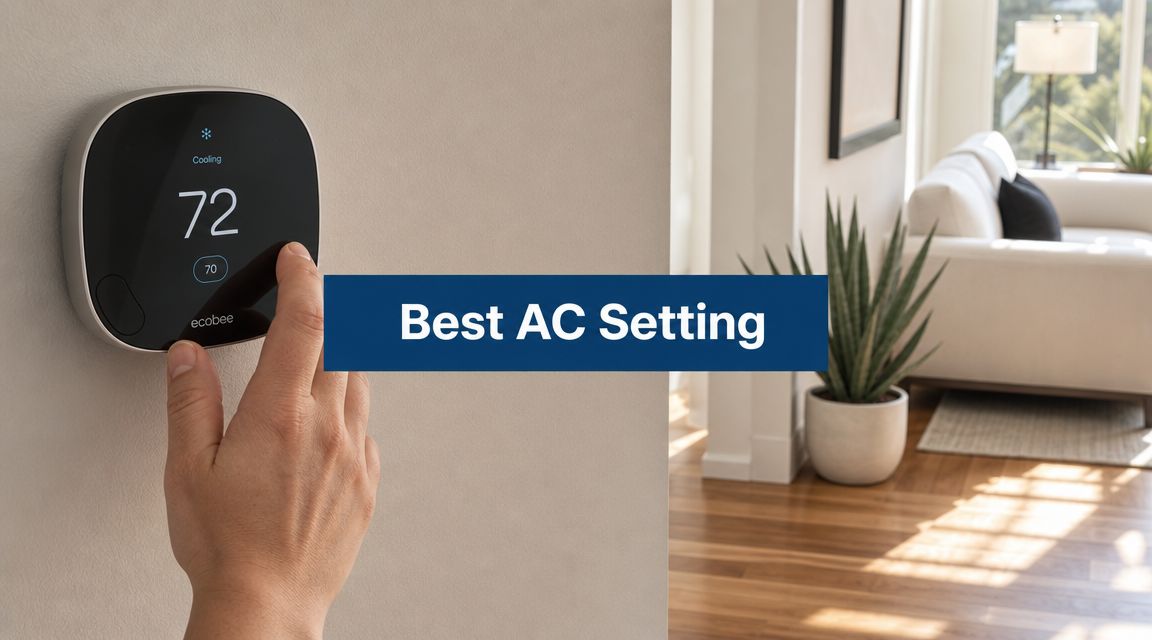
If you're reading this while the AC has been running all afternoon, the house still feels uneven, and somebody in the family keeps sneaking the thermostat lower, you're not alone. In Phoenix, the best setting for AC usually isn't one magic number. It's a schedule that fits desert heat, monsoon moisture, and how your household lives.
Beyond the Magic Number Why 78 Degrees Is Just a Starting Point
A lot of homeowners hear the same advice every summer. Set it to 78°F and leave it there. That's not wrong, but it's incomplete.
The problem is simple. 78°F is an energy guidance baseline, not a promise that everybody in your house will feel good at that temperature. Consumer Reports notes that while common efficiency guidance points to 78°F, a survey found many people prefer around 71°F (Consumer Reports on central AC settings). In other words, the number that helps with efficiency and the number that feels comfortable often aren't the same.
That gap matters more in Mesa and the wider Phoenix Valley than it does in milder places. When it's still blazing outside after sunset and the attic is holding heat, a thermostat setting can feel very different from the comfort level your body expects.
Comfort and cost pull in different directions
If you set the thermostat too low all day, your system runs longer and your bill usually follows. If you set it too high just because an article told you to, your house can feel stuffy and everybody gets cranky. Neither outcome is a win.
I've seen plenty of homes where the actual fix wasn't "pick a colder number." It was using different settings for occupied hours, sleep, and empty-house hours. That's the part generic advice misses.
A better approach is to ask:
- Who's home during the day: Remote workers, retirees, kids on break, and shift workers all change the schedule.
- Which rooms run hot: West-facing bedrooms and upstairs spaces often need a different strategy.
- How sensitive your family is to heat: Some people sleep fine warmer. Others don't.
- How tight the house is: Insulation, windows, duct leakage, and shade all affect what feels reasonable.
For homeowners trying to lower summer operating costs, a good next read is these HVAC energy saving tips for Arizona homes. The thermostat matters, but it never works alone.
Why one-size-fits-all advice falls short
What if the most efficient setting leaves you uncomfortable in your own house? That's exactly why the "best" setting has to be personal.
A Phoenix home with full sun exposure, a two-story layout, and warm bedrooms won't behave like a shaded single-story ranch. Add monsoon humidity, and the same temperature can feel heavier overnight than it did the week before.
So yes, 78°F has a place. But the optimal approach is a custom schedule, not a fixed number stuck on the wall.
Foundational AC Settings for Your Phoenix Home
If you want a practical baseline, start with the guidance tied to occupancy. The U.S. Department of Energy and Energy Star recommend 78°F when you're home, then raising it by 4°F while asleep and 7°F when the home is unoccupied (Carrier thermostat guidance summarizing DOE and Energy Star).
That gives you a framework instead of guesswork.
Recommended AC Thermostat Settings for Phoenix Summers
| Occupancy | Recommended Temperature Range | Primary Goal |
|---|---|---|
| Home and awake | 78°F | Balance comfort and efficiency |
| Asleep | About 4°F higher than your home setting | Reduce overnight cooling demand |
| Away from home | About 7°F higher than your home setting | Cut unnecessary runtime while the house is empty |
Those numbers aren't random. They're built around the idea that your house doesn't need the same level of cooling every hour of the day.
What works in real houses
For many Phoenix households, the occupied setting is the hardest one to accept emotionally. When it's brutal outside, people want relief fast. That's understandable. But dropping the thermostat lower than necessary all day usually creates two problems. It drives up runtime, and it trains everyone in the house to expect a colder indoor climate than the home can maintain efficiently.
A better setup looks like this:
- Use a steady home baseline: Keep the daytime occupied setting close to the recommended starting point, then adjust only if comfort really isn't there.
- Raise the setting when the house is empty: There's no reason to cool an empty home to your preferred lounging temperature.
- Let sleep hours have their own setting: Bedrooms, bedding, ceiling fan use, and personal preference all affect this more than people realize.
The system still has to fit the house
One more point that gets overlooked. If your unit is undersized, oversized, poorly ducted, or just worn out, even a smart schedule won't fully solve the comfort problem. A good thermostat plan helps, but the equipment still has to be capable of delivering even cooling.
If you're not sure whether your system is properly matched to your home, this guide on what size air conditioner you may need is worth reviewing. Wrong sizing creates a lot of the "my thermostat says one thing but the house feels another" complaints.
A simple way to fine-tune
Try this for a week:
- Start at the baseline: Use the recommended occupied setting.
- Watch comfort by room: Pay attention to bedrooms, west-facing rooms, and upstairs areas.
- Adjust gradually: Move in small steps if needed rather than swinging the setpoint dramatically.
- Keep notes on when discomfort happens: Late afternoon discomfort points to heat gain. Overnight discomfort may point to airflow, insulation, or humidity.
That process tells you a lot more than chasing one supposedly perfect number.
Mastering Your Thermostat Fan and Mode for Monsoon Season
Temperature isn't the whole story in Arizona. Once monsoon moisture rolls in, a house can hit the target temperature and still feel sticky.
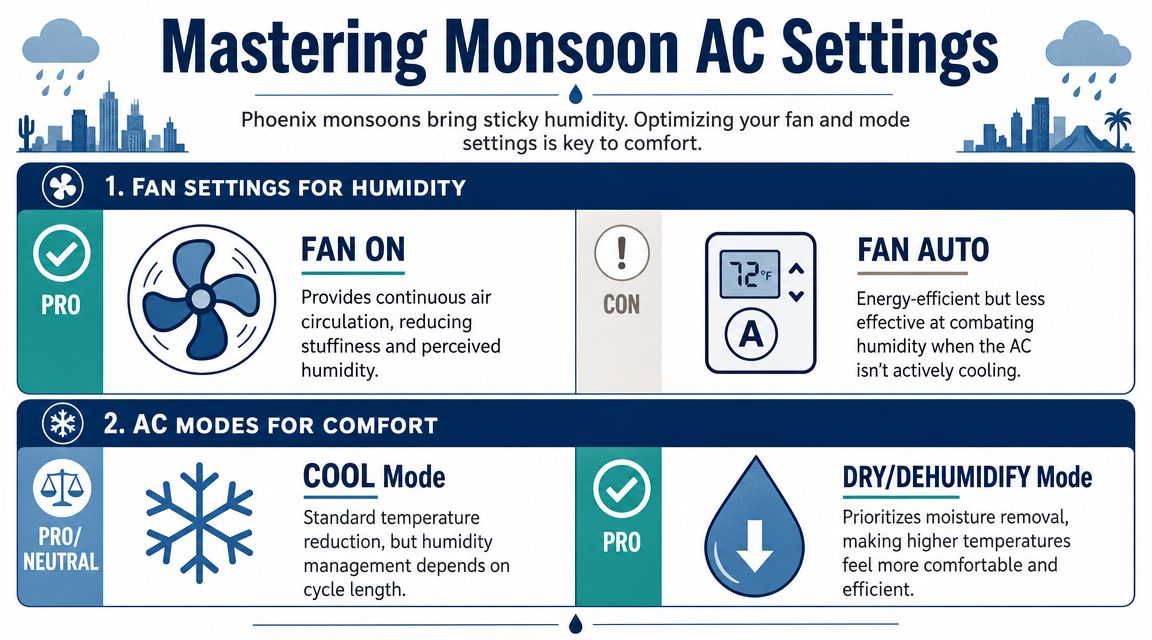
That clammy feeling is why some homeowners think their AC isn't cooling, when the bigger issue is moisture control. Trane warns that setting the thermostat too high when away can keep the AC from running often enough to dehumidify the home, which can leave the house feeling damp or lead to moisture concerns (Trane guidance on summer and vacation thermostat settings).
Fan setting matters more than people think
A common misunderstanding involves thermostat controls. Many people switch the fan to On thinking nonstop circulation will make the house feel better. Sometimes it helps with air movement, but during humid weather it can work against comfort.
When the cooling cycle stops, moisture collected on the indoor coil can re-enter the air if the fan keeps blowing across it. That's one reason homes can feel muggy even when the thermostat number looks fine.
For most Phoenix homes during monsoon season:
- Fan Auto usually makes more sense because the blower runs with the cooling cycle.
- Fan On can increase air movement, but it may also make a humid house feel worse.
- Cool mode handles regular cooling, but it won't solve every moisture complaint by itself.
- Dry or dehumidify mode can help if your thermostat or system supports it.
Away settings should be reasonable, not extreme
Some homeowners crank the thermostat way up before leaving for work because they assume less runtime always means more savings. In dry weather, you have a little more room for that approach. In monsoon season, pushing it too far can leave the home unpleasant by evening.
That doesn't mean you should cool an empty house aggressively. It means the "best setting for ac" in July and August isn't just about the highest possible away temperature. It's about giving the system enough opportunity to control moisture.
If you're also looking for simple ways to save on energy bills this summer, ceiling fan direction and air movement strategies can complement your thermostat settings, especially in rooms that always feel warmer.
What to watch for during monsoon season
A few clues tell you humidity is part of the problem:
- Bedsheets feel damp or heavy
- Rooms smell musty after the AC cycles off
- The house feels worse at the same thermostat setting than it did earlier in summer
- Cold rooms still don't feel comfortable
That's common here. Desert heat gets all the attention, but monsoon humidity changes the whole comfort equation.
Programming a Smart Thermostat for Peak Phoenix Savings
A programmable thermostat is useful. A smart thermostat is better when your routine changes during the week, which is how most families live.
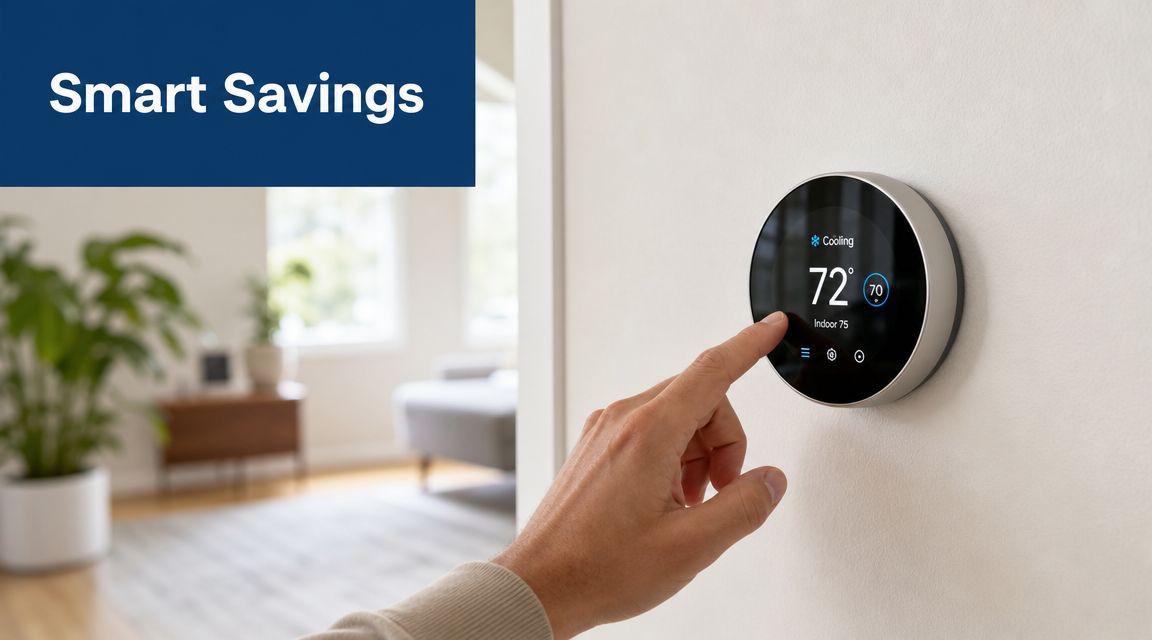
The U.S. Department of Energy says turning the thermostat back 7° to 10°F for at least 8 hours a day can save up to 10% annually on heating and cooling costs, and smart thermostats help automate that routine so you don't have to remember it every day (Parker & Sons summary of DOE thermostat setback guidance). In Phoenix, automation matters because forgetting one afternoon setback in peak summer usually means the system runs longer than it needed to.
A real-world Phoenix schedule
Think about a typical weekday. People leave in the morning, the house sits mostly empty through the hottest stretch, then everybody comes home wanting instant comfort.
A smart thermostat can handle that with fewer manual adjustments:
- Morning occupied period: Keep the house at your daytime comfort setting while people are getting ready.
- Workday away period: Let the temperature rise to your away setting instead of cooling an empty house.
- Late afternoon transition: Start cooling before the family walks in, rather than waiting until the indoor temperature has drifted too high.
- Night schedule: Shift to your sleep setting once the house settles down.
That last part matters. If you wait until everyone is already uncomfortable, you'll always feel like the system is behind.
Features worth using
You don't need every advanced setting, but a few are especially helpful in the Valley.
Geofencing
If your schedule changes a lot, geofencing can switch between home and away automatically based on your phone's location. That's useful for households with hybrid work schedules or unpredictable errands.
Learning behavior
Some smart thermostats notice when you tend to leave, return, and sleep. Used correctly, that can smooth out cooling without constant micromanagement.
Pre-cooling with purpose
You know what? This is one of the few thermostat habits that can make a noticeable difference in comfort. If your utility plan has expensive late-day hours, easing the temperature down before those hours begin can help your home coast more comfortably later.
That strategy works even better when you pair it with shading. If afternoon sun pounds your west-facing glass, Sparkle Tech sun screen solutions are one example of an exterior measure that can reduce heat gain and make thermostat scheduling more effective.
Smart control only helps if the setup is clean
I see homeowners buy a smart thermostat and then use it like a manual one. Same temperature all day, random overrides, no schedule, no occupancy logic. That leaves a lot of value on the table.
A better path is to set the schedule once, live with it for several days, then make small adjustments. If you want a deeper look at setup options and practical benefits, this guide on the benefits of a smart thermostat is a solid place to start.
Your Essential AC Maintenance Checklist
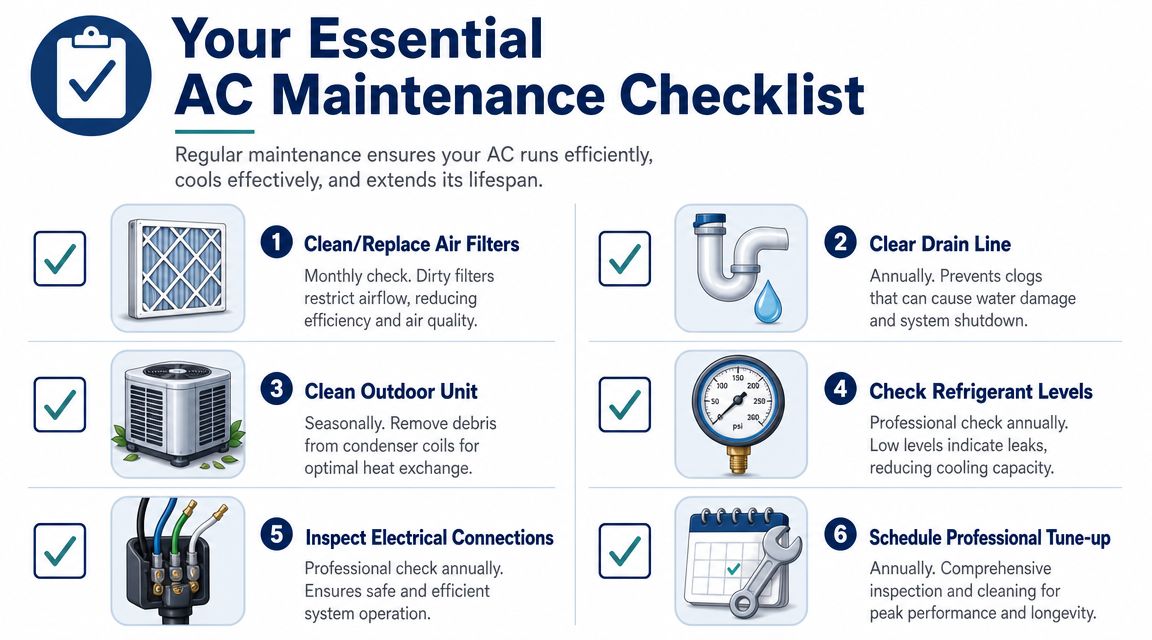
A thermostat can only work with the system behind it. If airflow is restricted, coils are dirty, or the drain line is backing up, your chosen setting won't feel right no matter how carefully you picked it.
What homeowners should stay on top of
Some maintenance tasks are simple and absolutely worth doing yourself.
- Air filter check: If airflow drops, everything suffers. Cooling gets weaker, rooms get uneven, and the system strains harder than it should.
- Outdoor unit clearance: Dust, plant growth, and debris around the condenser make heat rejection harder.
- Drain line awareness: In summer, especially with humidity in play, a clogged condensate line can create water problems fast.
What needs a professional eye
A thorough tune-up catches the things most homeowners can't verify safely or accurately.
- Refrigerant condition: If cooling performance has dropped, low refrigerant or a leak may be involved.
- Electrical inspection: Loose connections and worn components can lead to breakdowns at the worst time.
- System cleaning and performance review: A technician can check whether the equipment is operating the way your thermostat schedule assumes it is.
For a broader homeowner guide, this HVAC preventive maintenance checklist covers the routine items that help systems stay dependable through long Arizona summers.
The biggest mistake
Waiting until the AC stops cooling in July.
By then, the thermostat usually gets blamed first. But a lot of comfort complaints trace back to neglected basics like a loaded filter, blocked return, dirty outdoor coil, or poor drainage.
Troubleshooting Common Comfort and Cost Issues
Maybe you've dialed in the schedule and the house still doesn't feel right. Before assuming the equipment is failing, check the easy stuff first.
One room is hot and another is freezing
That usually points to airflow, duct distribution, sun exposure, or blocked vents. Walk the house and look for closed registers, furniture over returns, or rooms with heavy afternoon sun that gain more heat than the rest.
The AC runs constantly
If the thermostat never seems satisfied, start with the filter. Then check windows, doors, and whether the outdoor unit is packed with debris. Constant runtime can also mean the home is gaining heat faster than expected, especially in older houses or rooms with weak insulation.
The house feels muggy
Look at the fan setting and your away schedule. If the system isn't cycling in a way that controls moisture, the air can feel uncomfortable even when the displayed temperature looks reasonable.
Your bill jumped and nothing changed
Sometimes something did change and it just wasn't obvious. A filter got dirtier, a family member started overriding the schedule, blinds stayed open on west-facing windows, or a service issue began subtly. If you need a homeowner-friendly starting point, this article on how to diagnose AC problems can help you narrow it down.
A quick self-check list:
- Look at the thermostat settings: Make sure nobody switched fan mode or overrode the schedule.
- Inspect the filter: If it's dirty, replace it first before drawing bigger conclusions.
- Check supply and return vents: Air has to move freely through the house.
- Notice timing: Problems only in late afternoon often point to heat gain. Problems all day may point to system performance.
If those checks don't solve it, it's time for a real diagnosis instead of more thermostat guessing.
If your AC still isn't keeping up, Comfort Experts can help you sort out whether the issue is settings, airflow, humidity, or the equipment itself. Call 480-207-1239 or schedule service to get an honest assessment from a local team that knows Mesa and Phoenix cooling conditions.