
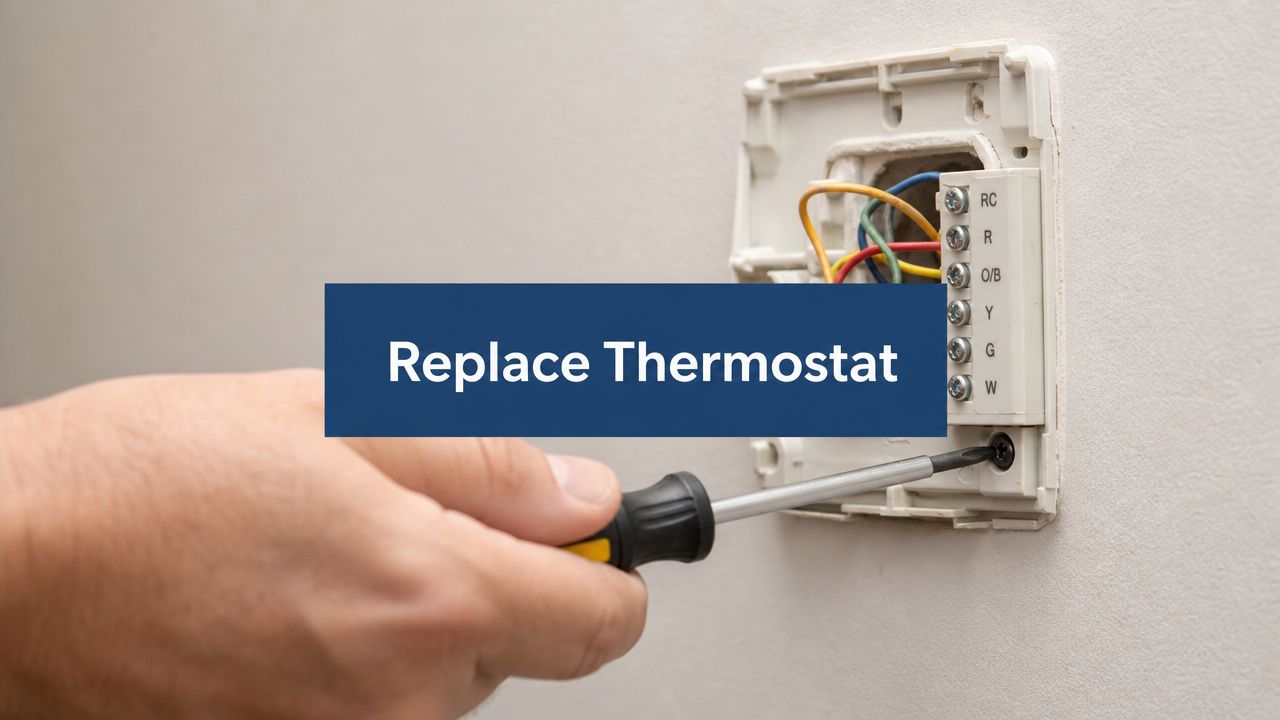
When your house won't cool evenly, the screen is blank, or you're tired of walking to the hallway every time the Arizona heat kicks up, replace a thermostat starts sounding like a pretty smart weekend project. Done right, it's manageable. Done wrong, it can leave you with a system that powers on but doesn't control your HVAC the way it should.
Planning Your Thermostat Upgrade
On a July afternoon in Arizona, a thermostat replacement can look finished long before the job is right. The new screen lights up, the app connects, and the house still never quite feels comfortable by dinner. That usually comes back to planning, not installation.
The most important decisions happen before you remove the old unit. A good upgrade starts with a clear reason for replacing it and a realistic idea of what the new thermostat can and cannot fix. A thermostat can improve control, scheduling, and day-to-day comfort. It will not solve bad airflow, leaking ductwork, or a struggling AC system.
Start with the problem you want to solve
Homeowners usually replace a thermostat for one of four reasons.
- The old thermostat is failing: Blank display, lost settings, short cycling, or delayed system response.
- Comfort is inconsistent: The house cools unevenly, or the temperature on the wall does not match how the rooms feel.
- You want better control: Scheduling, remote access, maintenance alerts, and occupancy features can make day-to-day use simpler. If that is your goal, review the benefits of a smart thermostat before you buy.
- You want cleaner operation in high summer demand: In Arizona, even small control issues show up fast when the system runs for long stretches.
That last point gets missed in a lot of DIY articles. In our climate, a thermostat that is a poor match for your equipment or settings can leave you with a system that runs, but runs poorly. You may get long cooling cycles, odd fan behavior, or room temperatures that drift more than they should.
Buy for compatibility first, features second
A glossy touchscreen and phone app are nice. Correct equipment matching matters more.
Before you shop, decide what kind of upgrade you are making. If you are swapping a basic thermostat for another basic model with the same function set, the project is usually straightforward. If you are stepping up to a smart thermostat, adding scheduling, or changing brands, slow down and check the wiring requirements, power needs, and supported HVAC system types on the box.
I tell homeowners the same thing all the time at Comfort Experts. The easiest thermostat to install is not always the one that will control the system properly once the afternoon heat hits. A model can mount neatly on the wall and still be wrong for the equipment behind it.
Gather tools and information before you start
You do not need a full service van for this job, but a little prep saves a lot of frustration.
- Phillips and flathead screwdrivers
- Smartphone camera
- Wire labels or masking tape
- Needle-nose pliers
- Drill and small bit, if the new base plate uses different holes
- Level, if appearance matters to you
- The thermostat manual and wiring diagram
The camera matters more than people expect. Take clear, close photos before a single wire comes off the old thermostat. Label wires by terminal letter, not by insulation color. Wire colors are common, but they are not guaranteed to mean the same thing from one system to another.
Define a successful replacement the right way
Success is not just a powered-up screen.
Success means the thermostat calls for cooling, heating, and fan operation correctly. It means the system starts and stops when it should. It means programmed settings fit your routine, and the temperature reading is believable for the space where the thermostat sits. Most of all, it means the thermostat works with your specific HVAC setup instead of forcing the system into strange behavior.
That is where many DIY swaps go sideways. The homeowner did the wall work fine. The trouble started at the buying stage, when compatibility checks got skipped.
Identifying Your HVAC System and Thermostat Type
A thermostat can fit the wall, power on, and still control the wrong equipment. I see that problem a lot in Arizona, especially after a homeowner buys a smart model that looked compatible at the store but does not match the system in the house.
Start at the equipment, not the thermostat box.
Read the model information on the indoor unit and the outdoor unit if you can reach it safely. The goal is to answer a few specific questions before you buy anything: Do you have a conventional AC and furnace setup, or a heat pump? Is the system single-stage or multi-stage? Does it use standard low-voltage control wiring, or something less common?
Those details decide what the thermostat must be able to control. If the new thermostat cannot handle your staging, reversing valve setup, or power requirements, the install may look fine and still leave you with no cooling, no heat, or a fan that behaves strangely.
Confirm whether you have a heat pump or a conventional system
This matters more than homeowners expect. A heat pump uses different control logic than a furnace and AC combination, and the thermostat has to be set up for that equipment type.
A quick field check helps. If the outdoor unit runs in both cooling season and heating season, there is a good chance you have a heat pump. If your home heats with a gas furnace and the outdoor unit only handles cooling, that is a conventional system. If you need help sorting that out, this guide on the difference between a heat pump and furnace gives you the basics.
Do not guess here. A thermostat set up for conventional heat on a heat pump system can cause wrong-stage calls or backup heat issues.
Identify staging before you buy
Single-stage equipment is straightforward. It is either on or off.
Multi-stage equipment is different. It can run at a lower level for efficiency and comfort, then step up when the house needs more help. In Arizona, that matters during long summer afternoons when a system may need to ramp properly instead of blasting at one speed all the time.
Check the existing thermostat terminals and the equipment wiring diagram. If you see terminals like Y1 and Y2, or W1 and W2, that usually points to staging. Buy a thermostat that supports the number of stages your equipment uses. If you install a single-stage thermostat on a two-stage system, the system may still run, but you can lose comfort and efficiency.
Check whether you have a C-wire and whether you really need one
A lot of newer thermostats, especially smart models, want continuous power from a C-wire. Some can work without one in certain setups. Some say they can, then act up once the cooling system starts cycling hard in real weather.
That is one of the trade-offs DIY guides often skip. Bench compatibility and real-world compatibility are not always the same thing.
Take off the thermostat cover and look for the terminal labels. If there is a wire connected to C, that is a good sign. If there is no C-wire at the thermostat, check whether an unused conductor is tucked into the wall or available at the air handler control board. If not, you may need an adapter, a new cable pull, or a different thermostat choice.
Low-voltage and line-voltage are not interchangeable
Most central air systems in Arizona use low-voltage thermostats. That is the normal residential setup.
If you find heavier-gauge wires, a thermostat tied to electric baseboard heat, or a setup that does not resemble typical R, Y, W, G, and C terminals, stop and verify what you have. A line-voltage thermostat is a different device for a different application. Installing the wrong kind is not a minor mistake.
Match features to the equipment, not just your preferences
Homeowners usually shop by screen size, phone app, or brand. Those are nice extras. Equipment support comes first.
Check the thermostat specifications for:
- heat pump compatibility
- number of heating and cooling stages
- C-wire or power adapter requirements
- separate fan control
- emergency heat support, if applicable
- dual fuel support, if applicable
That last one matters in some homes. If a system uses a heat pump with furnace backup, the thermostat has to support that control strategy.
Do one last wall-check before you commit
Before you buy, compare three things side by side. The wires on the old thermostat. The control board terminals in the air handler or furnace. The compatibility chart in the new thermostat manual.
If those three do not line up cleanly, slow down. The safest choice is to confirm the equipment model numbers and wiring diagram before spending money on the new thermostat. That extra ten minutes can save a return trip to the store, or worse, an Arizona afternoon without cooling.
Safety First and Old Thermostat Removal
Before touching the wall plate, shut off power to the HVAC system at the breaker. Not the thermostat setting. Not just the air handler switch if you aren't sure what it controls. The breaker.
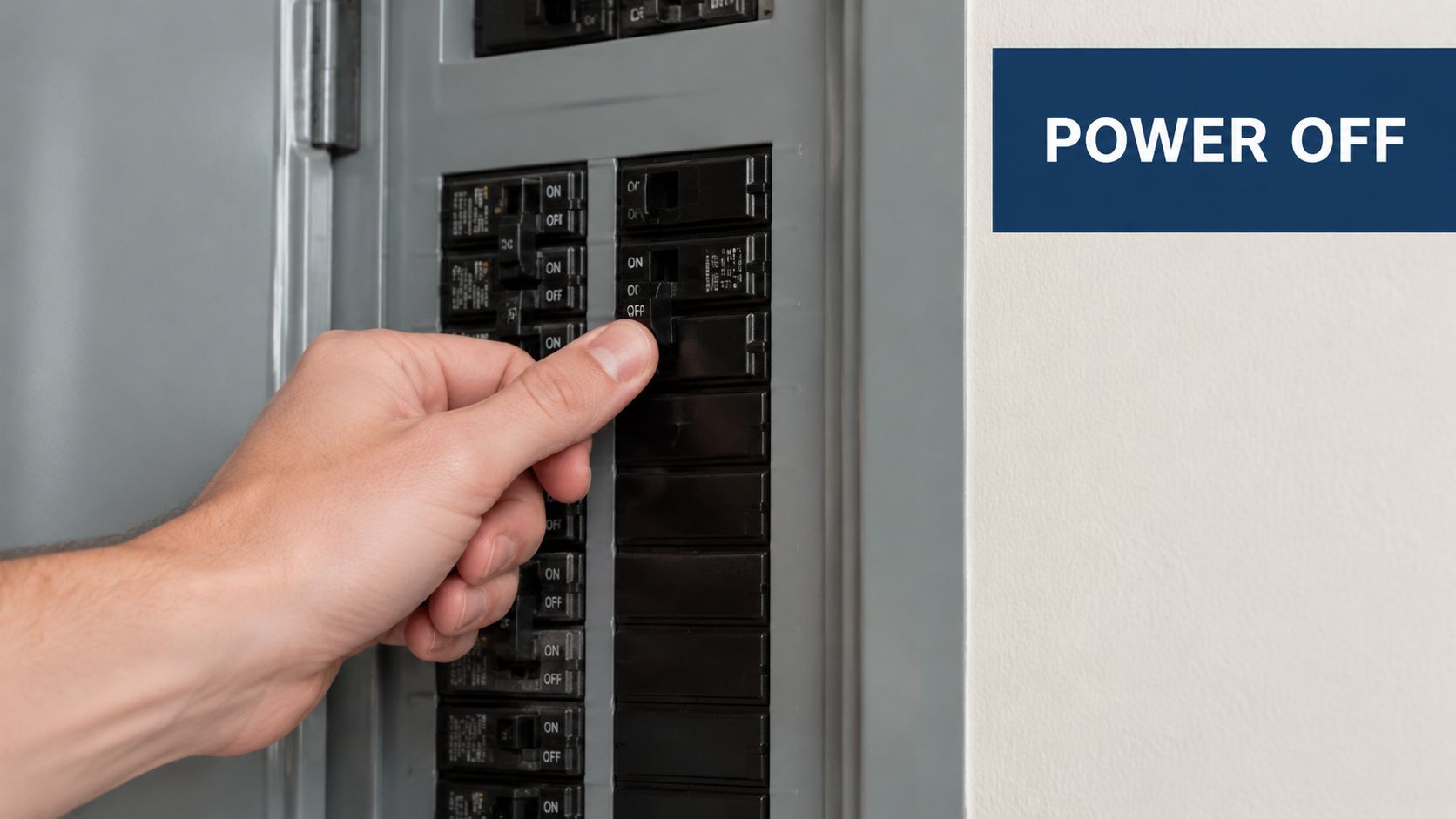
A thermostat replacement is typically a low-voltage wiring job, and the standard workflow is to shut off power at the breaker, photograph and label every conductor before disconnecting it, mount the new sub-base, connect each wire to the matching terminal, then restore power and verify operation, as outlined in this thermostat replacement guide from Apex Clean Air.
Don't trust wire colors alone
This is one of the biggest homeowner mistakes. People assume red goes to R, white goes to W, green goes to G, and so on. A lot of the time that's true. Sometimes it isn't.
The terminal label matters more than the insulation color.
Use the photo and label method
Do this before loosening a single screw:
- Remove the front cover carefully. Most faceplates pull straight off, but some release with tabs.
- Take a clear, close photo. Get the terminal letters in the picture.
- Label each wire by terminal. Write the actual connection label on tape.
- Check if any wire is unused. That extra wire may matter later.
- Keep the wires from slipping back into the wall. Bend them slightly outward if needed.
Remove the old base without damaging the wall
Once the wires are labeled and loosened, unscrew the old sub-base. Pull it away gently.
A few things to watch for:
- Paint lines and wall scars: New thermostats don't always cover the same footprint.
- Drywall anchors: Old anchors can loosen and leave the new base crooked.
- Fragile conductors: Older low-voltage wire can nick or break if you twist it too aggressively.
If the old thermostat had batteries, remove them and set the whole unit aside. Keep the mounting screws until the new one is firmly installed. Sometimes the old hardware fits the wall better than what comes in the new box.
The Critical Step Wiring Your New Thermostat
This is the part that makes most homeowners pause. Fair enough. Wires in a wall will do that.
The good news is that if you documented the old setup properly, wiring is usually a controlled process, not a guessing game. The bad news is that compatibility problems often show up right here, especially with smart thermostats.
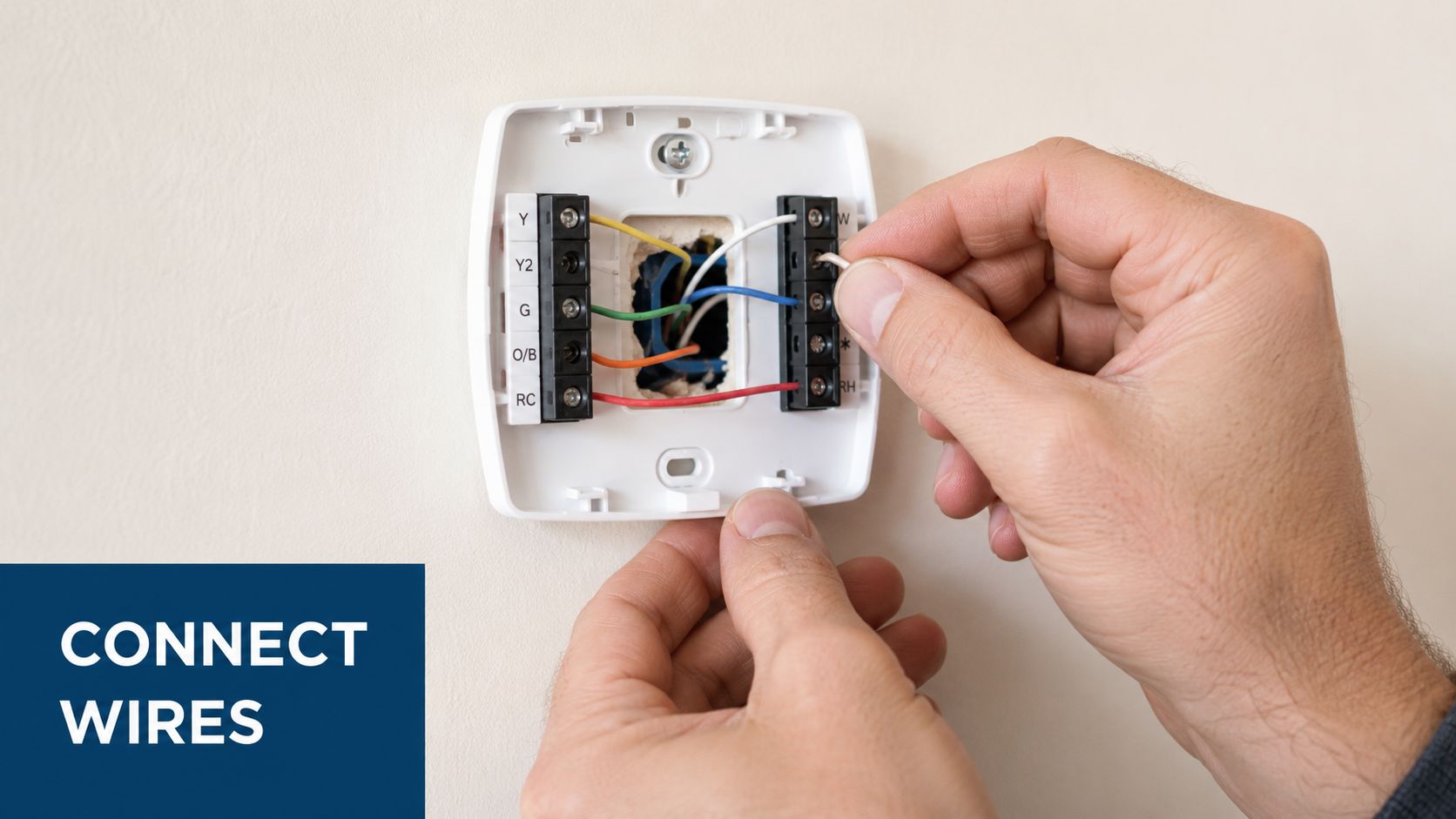
Many DIY guides explain labeling wires but don't spend enough time on whether the new thermostat will work well with the existing system. Compatibility issues, especially C-wire availability and control board support, are frequent pain points, and even simple install guides advise checking manufacturer diagrams if connections don't match, as noted in The Home Depot's thermostat installation guide.
Understand the common terminal letters
Most low-voltage systems use some version of these terminals:
| Terminal | Usual Function |
|---|---|
| R | Power |
| G | Fan |
| Y | Cooling call |
| W | Heating call |
| C | Common wire for continuous power |
That looks simple on paper. In real homes, labels can vary, staging can add terminals, and heat pump systems can use different terminal arrangements. That's why your old wiring photo matters so much.
Match labels, then verify the manual
Move one wire at a time if that helps you stay organized. Insert each conductor cleanly and tighten the terminal so the copper is secure but not crushed.
A few field-tested habits make this easier:
- Trim damaged copper only if necessary: Don't shorten the wire more than needed.
- Keep bare copper short: You don't want exposed wire touching neighboring terminals.
- Seat the insulation correctly: The terminal should hold copper, not insulation.
- Check for tug resistance: A light pull confirms the wire is clamped.
If your new thermostat uses terminal names that don't line up perfectly with the old one, stop and use the manufacturer's wiring diagram. That's not overkill. That's how you avoid feeding the wrong signal to the wrong circuit.
The C-wire issue is real
Smart thermostats often need a C-wire, also called a common wire, to provide continuous power. This often causes many DIY jobs to stall out.
You might remove the old thermostat and find:
- a connected C-wire already present,
- an unused extra wire tucked in the bundle that can sometimes be repurposed,
- or no practical C-wire at the wall at all.
If there's already a conductor landed on C at the thermostat and at the control board, that's the cleanest path. If there's an unused spare wire in the bundle, that may help, but only if it's also available and properly connected at the equipment side.
What works when the wires don't match perfectly
If you don't have a C-wire, the next step depends on your comfort level.
- Check for a spare wire: Sometimes the cable bundle has an unused conductor that can serve as common.
- Use an approved adapter kit: Many thermostat manufacturers provide a path for installations without a direct C-wire at the wall.
- Confirm the equipment side: The thermostat end is only half the story. The board inside the indoor unit has to support the connection too.
If you want more detail on smart control setup and common wiring scenarios, this smart thermostat installation guide is a useful next read.
This is also the stage where a homeowner may decide to hand it off. Comfort Experts handles thermostat replacement and smart thermostat upgrades as one option when the wall wiring, control board, or equipment matching gets more involved than a basic one-for-one swap.
Mounting Programming and Testing Your New Unit
Once the wiring is complete, the rest should feel smoother. This part is less intimidating, but it still deserves care because a crooked base, loose wire, or skipped startup setting can create problems that look like wiring faults.
Mount the backplate cleanly
Hold the new base to the wall and pull the wires through the center opening. Level it before driving the screws.
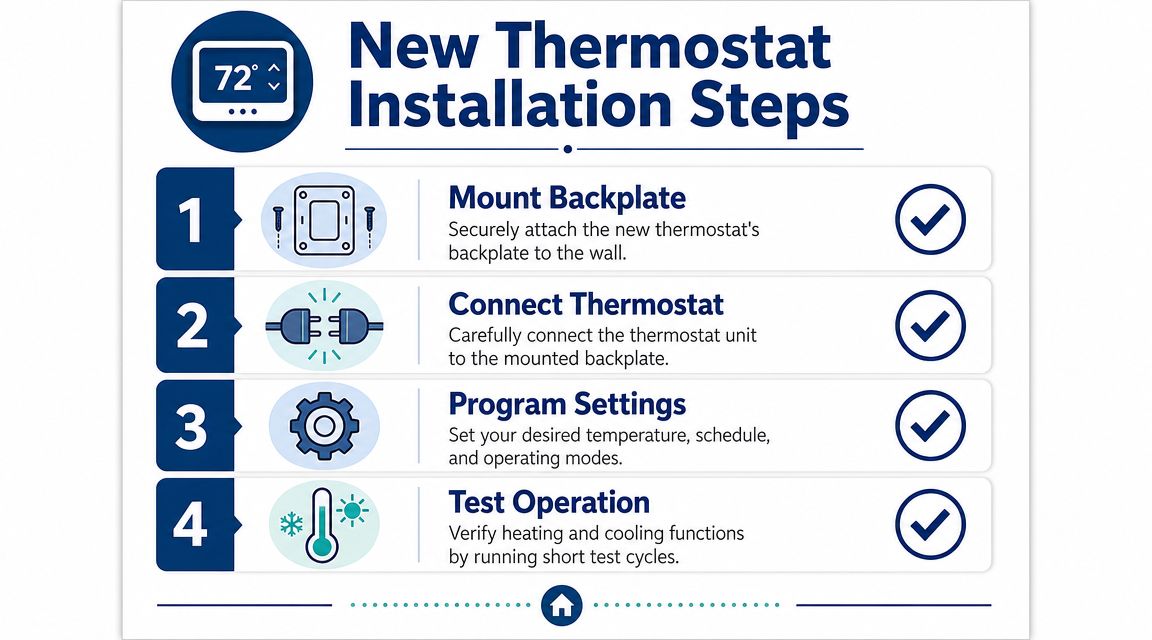
A clean mount matters for two reasons. First, it looks better. Second, a loose base can put tension on low-voltage wires, especially when the faceplate snaps on.
Complete setup without rushing
After the base is secure and the thermostat body is attached, restore power at the breaker. If the screen lights up, move slowly through the setup prompts.
For smart models, that usually means:
- Select system type: Make sure the thermostat knows whether it's controlling conventional equipment or a heat pump.
- Set fan options: Some systems handle fan timing differently.
- Connect Wi-Fi if applicable: Stay close to the router if the signal is weak in the hallway.
- Install the app: If your model supports app control, finish the account and pairing process.
- Program a practical schedule: If you need help dialing that in, this guide on how to program a thermostat can help you avoid the most common setup mistakes.
People sometimes overcomplicate things. Start with a simple schedule first. Live with it. Then refine it after a few days of real use.
Test every mode, not just cooling
In Arizona, homeowners often test cooling and stop there. I understand why. But a proper thermostat replacement should verify each operating mode the equipment uses.
Run short checks for:
- Cool mode: Lower the setpoint and confirm the system responds.
- Fan-only mode: Turn the fan on independently if your system allows it.
- Heat mode: Even in warm weather, verify the thermostat can command the heating side if the setup allows a safe test.
If the screen stays blank or the system won't respond
Go through a short troubleshooting list before tearing it all back apart:
| Symptom | What to Check |
|---|---|
| Blank screen | Breaker status, battery requirement if applicable, R and C connections |
| Screen on but no cooling | Y terminal connection, equipment power, setup mode selection |
| Fan won't run | G terminal connection, fan setting in setup |
| Heating or cooling acts strangely | System type programming, terminal placement, manufacturer diagram |
If you've double-checked the wiring and setup and the behavior still isn't right, there may be a compatibility issue at the equipment side rather than a wall-side installation problem.
When a DIY Job Should Become a Professional Call
A thermostat swap can look finished because the screen lights up and the AC starts once. That is not the same as a successful installation.
The jobs that deserve a professional call usually show up after the wall work is done. The thermostat may power on, accept settings, and still control the equipment poorly because the installer menu is wrong, the staging does not match the system, or the heat pump settings are not configured for the equipment in the house. In Arizona, that kind of mistake often shows up fast. The house runs longer, comfort gets uneven, and the system never seems to settle in.
Call for help if the thermostat works, but the system does not run correctly over a full day
The biggest DIY miss is stopping the test too early. A system can appear fine for ten minutes and still have control problems that show up later.
A professional call makes sense if you notice things like:
- the AC starts and stops too often
- the fan runs at odd times or does not shut off when expected
- the temperature in the house overshoots the setpoint by several degrees
- second-stage cooling or heating never seems to come on
- a heat pump switches modes incorrectly
- the system cools, but comfort is worse than it was with the old thermostat
Those are usually setup and compatibility problems, not just wall-terminal problems.
New thermostats often expose equipment-side issues
I see this in the field all the time. The thermostat gets blamed first, but sometimes the new control is more precise than the old one and reveals problems that were already there.
A newer thermostat may highlight airflow restrictions, weak temperature sensing, duct imbalance, control board issues, or staging problems that the old unit never handled well. That is why a proper service visit should include more than rechecking the wire letters at the wall. The equipment needs to be evaluated as a system.
What a technician should verify
A good technician traces control behavior at both ends, not just at the thermostat base. That includes checking the air handler or furnace board, confirming the thermostat setup matches the actual equipment, and verifying that each call from the thermostat produces the right response from the indoor and outdoor units.
If you are trying to choose an HVAC company for thermostat and system diagnostics, look for one that treats this as a control-and-compatibility job, not a quick device swap.
In the Arizona heat, that matters. If the house is warming up and the new thermostat is acting normal while the system is not, spending hours changing settings at random usually wastes time.
If you would rather skip the guesswork, or you have a thermostat that installed cleanly but still does not control the system correctly, Comfort Experts can help. You can call 480-207-1239 or schedule service online for professional thermostat replacement and system checks.